Shopify BFCM Integration Testing: How to Find App and System Risks Before Black Friday 2026
Prepare your Shopify store for BFCM 2026. Test checkout, shipping apps, payments, inventory sync, and custom integrations before Black Friday.
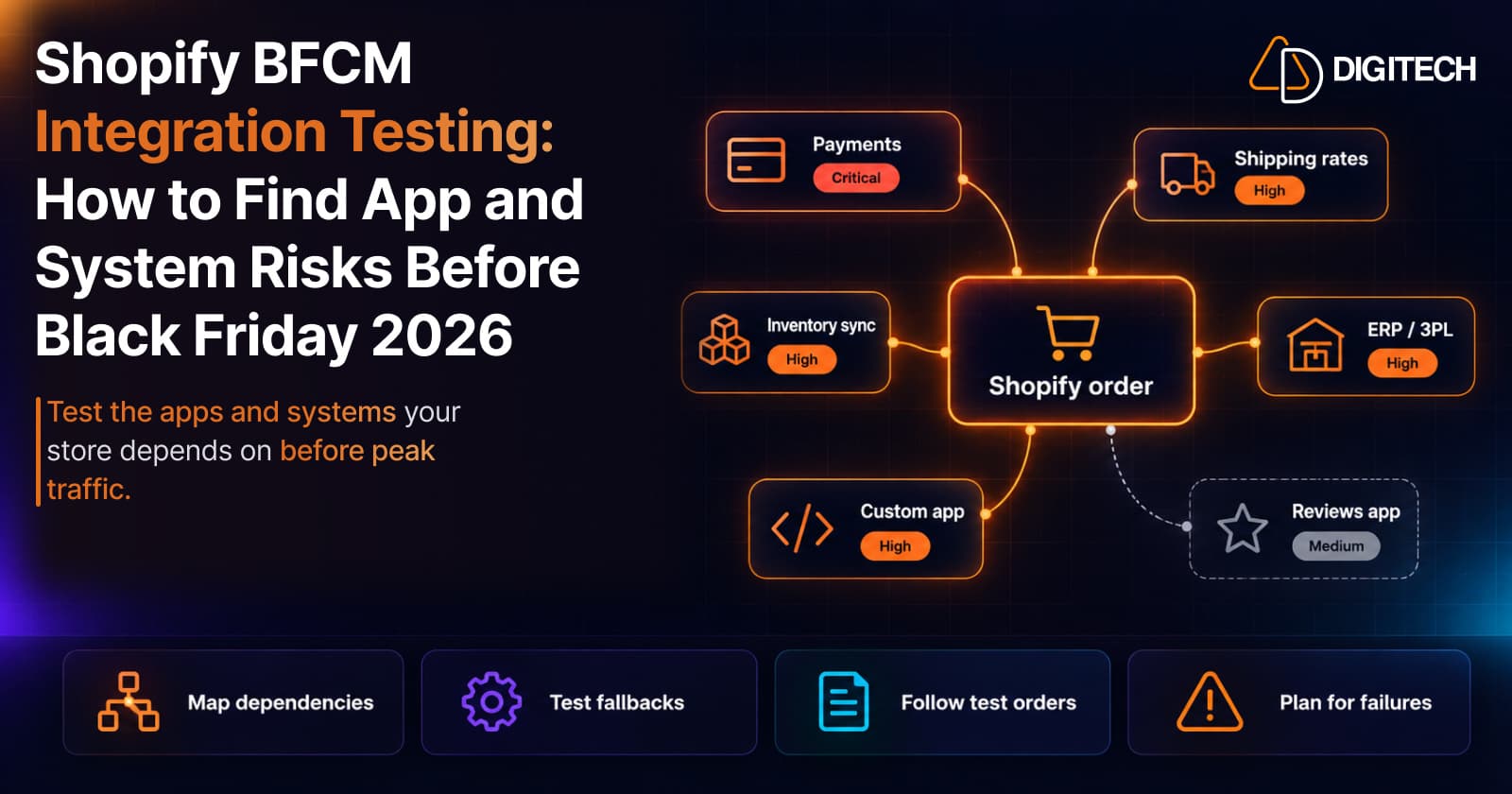
Most BFCM checklists test the storefront. The weaker point in many stores is behind it. A shipping app that calculates rates, a payment provider, an inventory sync, an ERP that receives orders, a custom app that calls Shopify's API: any of them can slow down or fail when order volume jumps.
This guide is a pre-BFCM testing process for those dependencies. It isn't a full BFCM checklist. For the checkout review itself, see our pre-peak checkout review; for storefront speed, see finding app-related slowdowns.
Why Integrations Are the Weak Point During BFCM
Your Shopify store runs on Shopify's platform, but the apps and systems connected to it run on their own. Shopify's own flash-sale guidance is direct about this:
- "Shipping apps typically perform poorly during extremely high volume events."
- If third-party apps are part of your checkout, Shopify suggests telling their developers how many orders you expect and how long the sale runs, so they can say whether the app will cope.
- Custom apps should be reviewed for efficiency and for whether their API call rate is sufficient.
- "For large flash sales, make sure that your third-party integrations can handle the increase in traffic to your store."
That guidance is written for flash sales, but BFCM puts the same parts of a store under pressure.
Map Your Store's Dependencies First
List every app and system that touches an order
Before testing anything, write down what an order passes through, from product page to delivered parcel:
- Storefront: theme app embeds and blocks, cart and upsell apps, discount apps.
- Checkout: payment providers, checkout apps and extensions, shipping-rate apps, tax or address tools.
- After the order: ERP, order management system, warehouse or 3PL, label and fulfillment apps, accounting, email and SMS tools.
- Data sync: inventory and price sync, product feeds, anything connected through webhooks or the API.
For each one, note who owns it and what happens if it stops.
Rank them by risk
This is our working framework, not a Shopify classification:
| Priority | What it covers | Why |
|---|---|---|
| Critical | Payments, checkout, order creation | A failure stops or loses sales |
| High | Shipping rates, discounts, inventory sync, order export | A failure causes wrong prices, overselling or delayed fulfillment |
| Medium | Reviews, recommendations, pop-ups, non-essential feeds | A failure looks bad or slows pages, but orders still go through |
Test Critical items first and most thoroughly.
Shipping Apps and Carrier-Calculated Rates
What happens when rates fail
Checkout needs a shipping rate to complete. Shopify's safety net is backup shipping rates: if app or carrier-calculated rates fail, "your backup shipping rates are displayed instead." They apply by default wherever you use app or carrier-calculated rates, with some limits:
- They show only when all app or carrier-calculated rates for a shipment fail and no other eligible rate exists.
- Flat rates always display when they're eligible, so a flat rate alongside a calculated one reduces reliance on backups.
- "If your product doesn't have a weight, then a weight of 0 is assigned," which can make calculated and backup rates wrong.
Flat rates as a fallback: an option, not a rule
App and carrier-calculated rates depend on an outside service answering quickly at checkout. Shopify's flash-sale guidance notes that "Shipping apps typically perform poorly during extremely high volume events," and suggests considering turning off shipping apps and carrier-calculated rates for the sale and using flat rates instead.
That's a trade-off, not a default. Flat rates can be simpler and don't depend on a third-party service, but they may undercharge or overcharge on heavy, bulky or far-away orders, and they won't reflect a carrier's real service levels. Whether they make sense depends on your products, destinations, shipping costs, margins and fulfillment setup. A store selling small, similar items within one country may manage well on flat rates for a few days; a store shipping furniture internationally probably won't.
If you plan a fallback, whether flat rates added alongside your calculated rates, custom backup rates, or switching apps off for the sale, set it up and test it at checkout before BFCM, not on the day.
What to test
- Rates for your main destinations, order sizes and heavy or oversized items.
- What your backup rates actually are, and whether you'd be happy charging them.
- Product weights on your best sellers.
- Free-shipping thresholds after discounts are applied.
- Whether your shipping app's provider has published BFCM capacity guidance.
- Any fallback configuration you plan to use, before the sale starts.
Payment Providers and Test Orders
How to test without blocking sales
Shopify describes three ways to place a test order: a test payment gateway, Shopify Payments test mode, or a real payment that you cancel and refund (your provider may charge fees on it). Which ones are open to you depends on your payment provider and setup, and third-party providers don't all offer the same test options, so check your provider's documentation too.
Warning: Shopify says "Customers can't place live orders during the time that your payment providers are in test mode." Don't switch test mode on casually on a store that's taking orders. If you need it, schedule it for a quiet period, keep it short, tell your team, and switch it off straight after.
On a live store, a real order that you cancel and refund often tests the full flow with less disruption. Whatever method you use, follow each test order through to the confirmation email, order export and warehouse.
A second payment provider
Shopify suggests: "Consider setting up a second payment provider in case your primary provider isn't able to keep pace with your orders." And: "Make sure to test your providers beforehand to ensure there aren't any problems for your customers at checkout."
Pay-later and external payment options
Shopify notes that external payment options that let customers pay later or in parts can lead to overselling, because of the time the third-party round trip takes. For a sale on limited stock, it suggests considering turning them off.
Inventory, ERP and Order Management Sync
This is where BFCM problems often show up a day later: oversold items, orders missing from the warehouse, stock that doesn't match.
What to check:
- Which system is the source of truth for stock, and in which direction each sync runs.
- How often stock syncs, and what happens to orders placed between syncs.
- Your oversell setting on limited items ("continue selling when out of stock" should be off where you can't restock).
- Order export: place a test order and confirm it reaches your ERP, OMS or 3PL with the right items, address, discount and shipping method.
- Delays and backlogs: ask your ERP or 3PL partner how their connector behaves with a backlog, and how you'd know if it stopped.
Before the sale, count your best sellers. Shopify's stock counts can help you check that the numbers you sell against are real.
Custom Apps, APIs and Webhooks: What to Ask Your Developer
If you have a custom app or a private integration, you don't need to read its code, but you should ask the person who maintains it:
- API limits: Shopify limits API calls per app, and "Both the bucket size and the restore rate vary by API and by plan." Will the app stay within them at BFCM volume, and what does it do when it's throttled?
- Failure handling: if the app's server is slow or down, do orders still go through? Who gets alerted?
- Recent changes: has anything changed since your last big sale?
What merchants should know about webhooks
Many integrations learn about new orders and stock changes through webhooks, messages Shopify sends to the app when something happens. Shopify documents a few behaviors that matter at BFCM volume:
- Not exactly once. The same event can be delivered more than once, so the app should process it idempotently: receiving an order twice must not create it twice in your ERP.
- Not in order. Shopify doesn't guarantee the order in which webhooks arrive.
- Retries, then a stop. If the app doesn't answer successfully within five seconds, the delivery fails. Shopify retries failed deliveries up to eight times over about four hours, with longer gaps between attempts, then stops. If failures continue, the webhook subscription can be removed.
- Delays. Retries mean data can arrive late and fall out of sync.
What to ask for: monitoring of failed deliveries, a way to reconcile records that went missing or arrived late (for example, by comparing orders in Shopify with orders in your ERP), and a recovery procedure that has been tested before BFCM, not written during it.
If nobody can answer these, better to find out now. A short developer review of API usage and webhook handling is quicker than fixing a backlog mid-sale.
Discounts and Cart Apps
Discounts often involve more than one system: Shopify discounts, an upsell or gift-with-purchase app, a loyalty app. Test the combinations shoppers will actually use:
- A discount code plus an automatic discount.
- A gift-with-purchase added by an app, with and without a code.
- The order total, shipping threshold and tax after all discounts.
- What the order looks like in your ERP or accounting system afterward.
If you plan to switch discounts on at a set time, Shopify Rollouts can schedule them alongside theme changes.
Storefront Apps and Performance
Storefront apps mostly affect speed, not order flow. Shopify's BFCM checklist suggests removing apps and scripts you don't use, and for large flash sales it suggests considering turning off filtering menus, recommendations, social feeds, slideshows and pop-ups.
How to find which app slows your store, and what to do about it, is covered in finding app-related slowdowns and how third-party apps affect performance.
Shopify Plus: What's Different
The process is the same on every plan; Plus stores usually just have more to test. On Shopify Plus, apps can be added to the information, shipping and payment steps of checkout, which other plans can't do, so Plus stores often have more checkout extensions to check. Shopify doesn't document a separate BFCM testing tool for Plus.
What to Fix Now and What to Leave Until After BFCM
- Fix now: anything Critical or High that fails a test, missing product weights, missing flat or backup rates, a broken order export.
- Decide now: whether to turn off shipping apps, pay-later options or heavy storefront features for the sale.
- Leave until December: new apps, new integrations and non-urgent theme changes. Each one adds something to retest.
Plan for Failures During the Sale
- Write down who to call for each Critical and High dependency, and bookmark each provider's status page.
- Know how to switch a failing app off, and what replaces it (flat rates, a second payment provider).
- Decide who watches orders, stock and fulfillment exports during the sale, and how often.
BFCM Integration Testing Checklist
A testing matrix
Use this as a starting point and fill in your own systems. The risk levels are our prioritization framework, not a Shopify classification, and the owner is whoever can fix it fastest.
| Integration | Test scenario | Expected result | Risk | Owner |
|---|---|---|---|---|
| Checkout and payments | Place a real order on mobile with your main payment method, then cancel and refund it | Order created, payment captured and refunded, confirmation email sent | Critical | Store manager |
| Shipping rates | Check out to your main destinations with a light, a heavy and a mixed cart | Correct rates show; a fallback rate appears if the app is off | High | Operations |
| Discounts and cart apps | Apply a BFCM code with an automatic discount and an app-added gift | Correct total; gift and discounts appear on the order | High | Marketing |
| Inventory sync | Sell the last unit of a test product, then check every connected system | Stock updates everywhere; no further sales if overselling is off | High | Operations |
| ERP or order management | Follow a test order from Shopify into your ERP, OMS or 3PL | Items, address, discount and shipping method arrive intact | High | Integration partner |
| Custom apps and webhooks | Ask the developer to replay a duplicate and a delayed event | No duplicate records; delayed data reconciles | High | Developer |
| Storefront performance | Test home, collection and product pages on a phone with all BFCM apps on | Pages load and work; no app blocks add to cart | Medium | Developer |
The checklist
- List every app and system an order passes through.
- Rank each one Critical, High or Medium.
- Check backup rates, flat rates and product weights.
- Place test orders and follow them to the warehouse.
- Set up and test a second payment provider if you need one.
- Confirm inventory sync direction, timing and oversell settings.
- Ask your developer about API limits, webhooks and failure handling.
- Test discount combinations end to end.
- Stop non-essential changes before the sale.
- Write a failure plan with contacts and fallbacks.
When to Bring In a Shopify Developer
Many of these checks are settings you can review yourself. Others need a developer: custom apps and their API usage, webhook handling, ERP and OMS mappings, checkout extensions, and anything that fails a test without an obvious cause. If you're deciding what to keep in-house, our guide to Shopify store maintenance may help.
Need a technical Shopify store audit before BFCM? AD Digitech can help review checkout behavior, app compatibility, shipping integrations, custom functionality and other technical issues before peak-sale campaigns. See our Shopify development services or contact our team to discuss your store.
Frequently asked questions
Which Shopify apps should I test before Black Friday?
Start with anything that can stop an order: payment providers, shipping-rate apps, checkout apps, and the systems that receive orders, such as an ERP or 3PL. Then discount, cart and inventory apps. Merchandising apps matter less unless they slow the storefront.
What happens if a shipping app fails at checkout?
If a shipping app or carrier-calculated rate service fails, checkout may not get an eligible shipping rate, and without one a customer may not be able to complete checkout. Shopify doesn't create a flat rate for you. Its safeguard is backup shipping rates, which apply by default but show only when every app or carrier-calculated rate for a shipment fails and no other eligible rate exists, and they may differ from what you normally charge. Before BFCM, review your shipping setup, add flat or backup rates that suit your zones, products and fulfillment rules, and test them at checkout.
How do I place a test order without blocking real customers?
Shopify offers a test payment gateway, Shopify Payments test mode, or a real payment you cancel and refund. Shopify warns that customers can't place live orders while your payment providers are in test mode, so on a live store a real order that you refund, or a test outside trading hours, is usually safer.
Should I add a second payment provider for BFCM?
Shopify suggests considering one for flash sales, in case your primary provider can't keep pace with your orders, and testing your providers beforehand. Whether it's worth it depends on your volume and the providers available in your markets.
Should I stop making store changes before Black Friday?
Finish risky changes early and keep the weeks before the sale for testing. Shopify doesn't publish a formal change-freeze rule, but every new app or integration adds something to retest. Urgent fixes still go in; the rest can wait until after Cyber Monday.
Need a Shopify Integration Audit Before BFCM?
Prepare your Shopify store for peak-sale traffic with expert support for checkout testing, app compatibility, shipping integrations, custom functionality, and technical troubleshooting.
Related reading
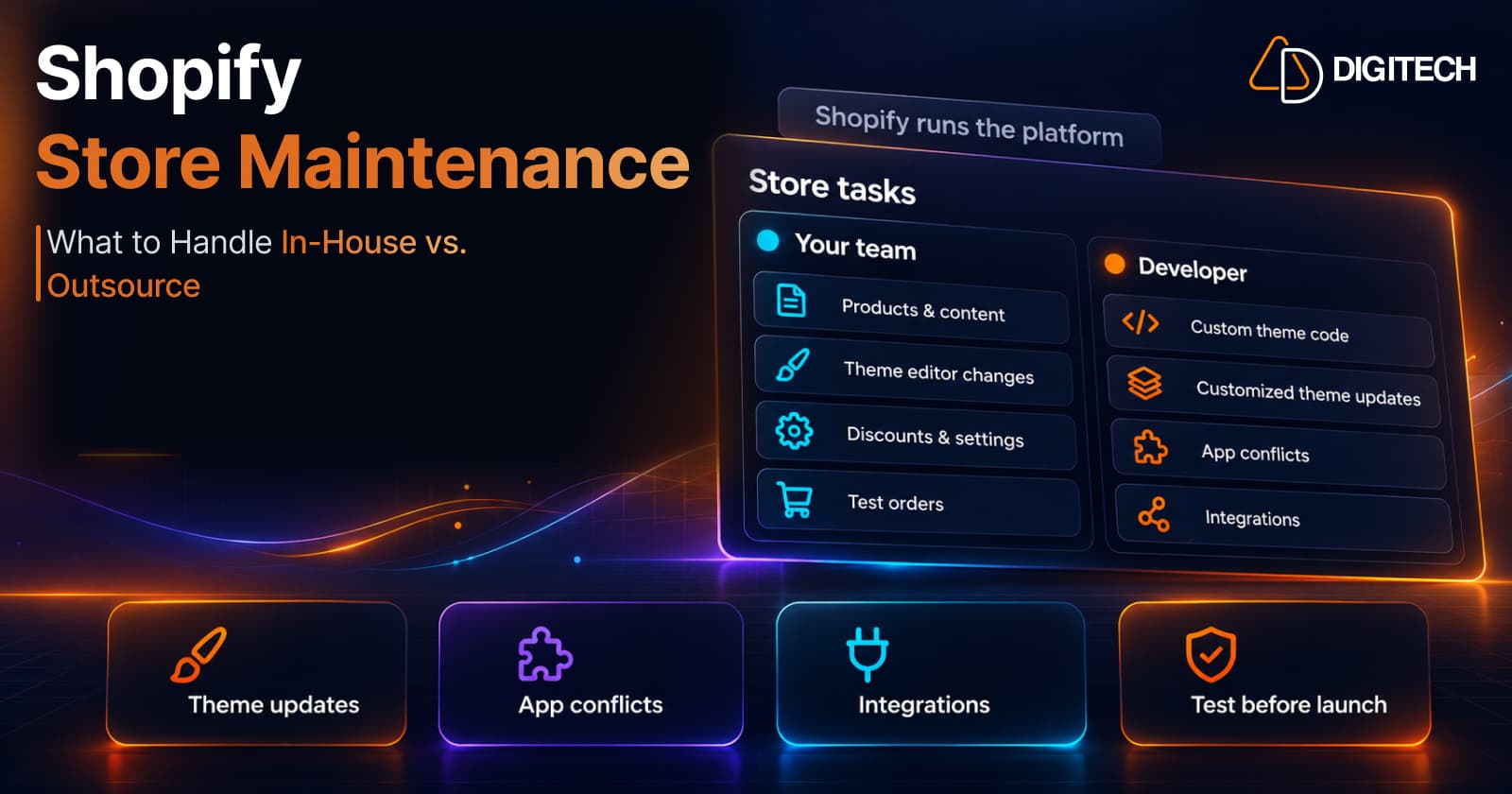
Shopify Store Maintenance: What to Handle In-House vs. Outsource
Shopify runs the platform; your theme, apps and integrations are yours to maintain. What to handle in-house, when to hire a developer and what support covers.
Read article
Shopify Adds Stock Counts in Admin: How Merchants Can Verify Inventory Before Peak Season
Shopify stock counts let staff record what's on the shelf and let a manager approve the differences before inventory changes. Here's how the workflow works in admin and POS.
Read article
Shopify Adds Arabic, Urdu, and Hebrew Support: What Merchants Must Check Before Launch
Shopify improved RTL support for Arabic, Urdu and Hebrew in the admin, storefronts and checkout. Here's what's covered, what isn't, and what to test before launch.
Read article
Shopify Translate & Adapt Auto-Sync: How to Keep Translations Current Before BFCM
Translate & Adapt can now update translations weekly with Auto-sync. Here's who can use it, how it differs from Translate now, and how to plan translations before BFCM.
Read article
Shopify Flow Shipping Label Automation: Setup, Rules, and What Merchants Should Test Before BFCM
Shopify Flow can now buy shipping labels automatically for orders that match your rules. Here's how the action works, example workflows, and what to test before BFCM.
Read article
Shopify Automated Policies: 7 Things Merchants Should Check Before Enabling Them
Shopify can now generate and update your return, shipping, terms of service and contact policies from your store settings. Here's what to check before you turn automation on.
Read article
Shopify Purchase Order Analytics: How to Spot Stock Risks Before BFCM
Shopify Analytics now includes purchase order reports. Here's what each report shows, how to use them to spot stock risks before BFCM, and what they can't tell you.
Read article
Shopify Rollouts: How Merchants Can Safely Test Store Changes Before BFCM
Learn how Shopify Rollouts let merchants schedule, test, and launch store changes safely before BFCM, including themes, discounts, catalogs, and checkout.
Read article
Shopify Shop Checkout Gets Faster: What Merchants Need to Know
Shopify's October 5, 2026 Shop update brings faster checkout and carts that sync across devices. See how it works, who qualifies and what to check before BFCM.
Read article