Shopify's New Market-Driven Shipping Is Rolling Out: What Merchants Need to Know
Shopify Market-Driven Shipping began rolling out on October 1, 2026. See what changes, who is affected, and what to check before BFCM.
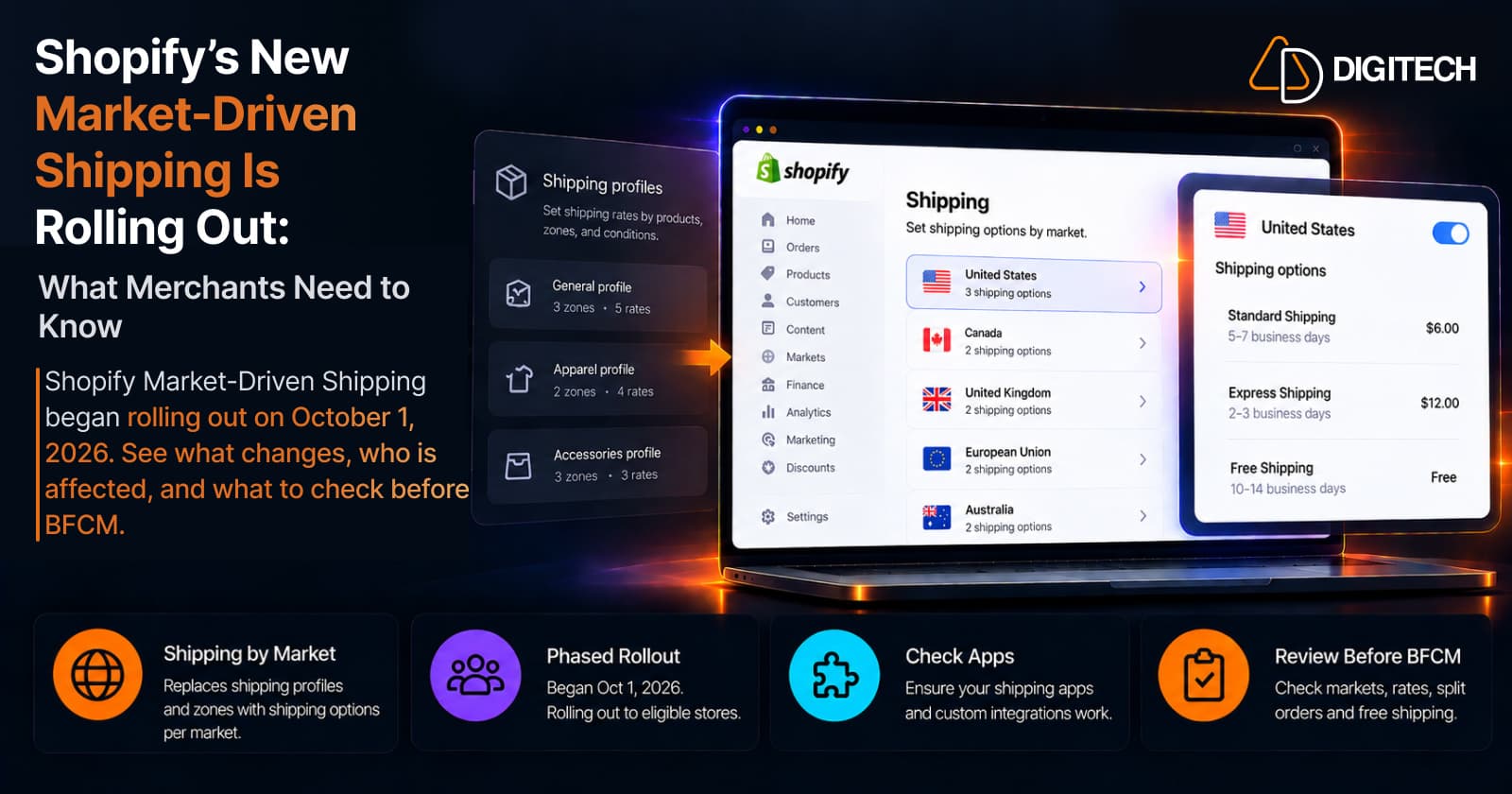
Shopify's new shipping setup started reaching merchants on October 1, 2026. It moves shipping out of shipping profiles and into Markets, so each market you sell to carries its own shipping options and rates.
It's a phased rollout, not a same-day switch. Your store keeps its current shipping profiles until it's upgraded, and Shopify expects every store to be on the new setup by July 1, 2027.
What Is Shopify Market-Driven Shipping?
Market-driven shipping is a new way to set up shipping in Shopify. Instead of building shipping profiles with location groups, zones, and rates, you add shipping options to each market. A shipping option is a delivery choice a customer picks at checkout, such as Standard or Express.
Shopify uses two names for it. Developer and partner material calls it "market-driven shipping". In the admin and the Help Center, it's "shipping options by market".
| Today | With market-driven shipping |
|---|---|
| Shipping profile → location group → shipping zone → rates | Market → shipping options → rates with product and location conditions |
A few terms are easy to mix up:
- Shopify Markets is where you manage the regions and customer groups you sell to. Market-driven shipping places shipping options inside it.
- Managed Markets and Shopify Shipping (label buying) are separate products. This change is about where shipping options and rates are configured.
What Changed on October 1, 2026?
October 1 is the start of the merchant rollout. According to Shopify's published timeline:
- Opt-in opened. If it's available for your store, go to Settings > Shipping and delivery and click Get early access.
- New stores start on the new setup.
- Shopify is rolling out the upgrade gradually. Existing stores can opt in when the feature is available, while stores that rely on incompatible shipping apps are upgraded later after those apps become compatible.
- Compatibility warnings started for new app installs. If a shipping app isn't compatible with the new system, Shopify can show a compatibility warning.
Not every store switched. Shopify's Help Center still describes the feature as early access, "available only to certain stores", and says it rolls out gradually. Shopify also notes that its dates are targets that may shift.
To see where your store stands, open Settings > Shipping and delivery. If shipping is organized in shipping profiles with zones and rates, you're on the current system. If it's organized by market in a Shipping options section, your store has been upgraded.
Why Shopify Is Connecting Shipping More Closely With Markets
One place for where you sell and how you ship. You start from a market and decide which shipping options its customers see. You can customize shipping for regional and B2B markets, and a child market inherits its parent's options by default.
More predictable rates at checkout. With shipping profiles, a cart that matches more than one rate is charged the rates added together, which can cost customers more than you intended. The new rules are:
| Situation | What the customer pays |
|---|---|
| Cart matches several rates in the same shipping option (flat or order-amount rates) | Only the highest matching rate |
| Cart matches more than one shipping option | The options' prices added together |
| Weight-based, carrier-calculated, or app-calculated rates | Calculated per shipment, then added together if the order splits |
Shopify's own example: a Standard option with $5 for regular products and $10 for oversized ones charges $10 for a mixed cart, not $15.
Each rate applies to all products or to specific collections (product conditions), and to the locations it ships from (location conditions).
Who Could Be Affected?
Every store will eventually move, but the impact varies.
- Simple, single-location stores. Little should change. Your setup is migrated for you.
- Stores with several shipping profiles, such as separate rates for fragile or oversized products. Mixed carts may be charged the highest rate instead of the total, which changes what you collect for shipping.
- Multi-location stores using weight-based or carrier-calculated rates. Those rates are charged per shipment, and split shipping is turned on for every upgraded store.
- International and multi-market stores. Shipping zones become markets, so your market list may grow. Our guide to Shopify Markets explains how markets are structured.
- Stores using shipping apps or custom integrations. These need a compatibility check, covered below.
What Happens to Your Existing Shipping Setup?
Shopify's Help Center says that when your store is upgraded, your shipping setup is migrated for you and "most merchants don't need to take any action":
- Zones become markets. A zone covering states or provinces from more than one country becomes a separate market per country, and the upgrade may create sub-region markets for a specific state or province.
- Profile product groups become collections. They're unpublished, so customers don't see them, and they carry a
[Shipping]prefix, such as "[Shipping] Fragile". - Location groups become location conditions on each rate ("Ships from").
- Rates with the same option name are merged into one shipping option. Shopify says the only change to what customers pay is that only the highest matching rate in that option is charged.
- Free shipping is applied to the matching option where it can be combined, or kept as a separate free option.
- Split shipping is activated, including for stores that had turned it off.
- Staff need the Markets permission to edit shipping options. It isn't granted automatically.
You can switch back to shipping profiles during an opt-out window, where one is available. Switching back permanently removes shipping changes made after the upgrade, and once the window closes you can't go back. The Help Center doesn't say how long the window lasts.
If an upgrade doesn't complete, the store keeps its shipping profiles. Shopify also acknowledges that, in rare cases, an upgrade issue can show incorrect rates at checkout. That is the reason to test.
What About Shipping Apps and Custom Integrations?
This is one area merchants should review before opting in, especially if their store uses an app or custom integration that reads or modifies shipping configuration.
Apps that read, create, or change your shipping profiles need an update. Apps that only manage their own rates don't. On an upgraded store, an app using the old method may read out-of-date settings, and its changes may appear to save without affecting your live shipping. The Help Center warns that an incompatible app's rates "might not be displayed at checkout, which can prevent customers from completing their order".
Shopify has built in two protections:
- Stores that rely on these apps are upgraded later, after the apps become compatible. Shopify won't move such a store automatically until it confirms compatibility.
- A banner on the Shipping and delivery settings page tells you if an installed app isn't compatible.
The exposure is opting in manually while an app isn't ready. Before you do, ask each shipping, rate, ERP, or 3PL provider:
- Is the app marked compatible with market-driven shipping?
- Does it read or edit my shipping profiles, or only provide its own rates?
- If it needs an update, when will that ship?
After the upgrade, app-provided rates appear in each market's shipping options. You can turn them on or off, but you can't edit their details. Custom integrations built on shipping profile data need a developer review. Our overview of Shopify's 2026 fulfillment changes covers the related split shipping and pickup updates.
What Shopify Merchants Should Review Before BFCM
Shopify's holiday advice is to check how you charge for shipping across products and locations, so rates combine as intended. Check:
- Mixed carts. Add products from different profiles to one cart and note the shipping price. That's the number most likely to change.
- Each market's checkout. Use a test address in every market, including any state or province markets, and confirm the options, prices, and delivery times shown. The cheapest option is selected by default.
- Active markets. Customers can order only from regions in an active market.
- Split orders. If you ship from several locations, test a cart that splits and check weight-based or carrier rates.
- Free shipping thresholds. Confirm they still apply where you expect.
- Apps and integrations. Look for the compatibility banner and get answers from providers.
If your store is upgraded close to peak, repeat these tests straight away. Our pre-peak checkout review covers the rest of checkout.
What Should You Do Now?
Do Shopify merchants need to change anything right now?
For most stores, no. Shopify says you don't need to change your setup right away, the migration is automatic, and your store keeps its current system until it's upgraded.
What to do depends on your situation:
- Not upgraded, no shipping apps: review your rates and mixed carts now, so the change doesn't surprise you.
- Not upgraded, with shipping apps or custom integrations: confirm compatibility before opting in, and avoid opting in during peak season if anything is unconfirmed.
- Already upgraded, or a new store: test each market's checkout and give the right staff the Markets permission. Then decide how rates should combine. If you want them added together, they need to sit in separate shipping options, because prices are added across options.
Shopify Market-Driven Shipping Timeline
| Date | What happens |
|---|---|
| July 1, 2026 | Feature preview opened for developers |
| October 1, 2026 | Merchant opt-in opens, new stores start on the new setup, phased upgrades of eligible stores begin, compatibility warnings start |
| October 2026–July 2027 | Shopify gradually upgrades stores. Stores that rely on incompatible shipping apps are upgraded later, after Shopify confirms compatibility |
| July 1, 2027 | Market-driven shipping is on for all stores, with no opt-out |
Final Takeaway
October 1 opened the rollout; it didn't move every store. Most merchants don't need to act today. Stores with several shipping profiles, multiple locations, international markets, or shipping apps should test how rates combine and confirm app compatibility before peak season.
If your store uses custom shipping logic, third-party fulfillment integrations, or market-specific configurations, AD Digitech can help review the setup and identify any changes needed during Shopify's transition.
Frequently asked questions
What is Shopify Market-Driven Shipping?
It's a new shipping setup where you add shipping options to each market you sell to, instead of building shipping profiles with zones and rates. Shopify's Help Center calls it "shipping options by market".
Did every Shopify store switch on October 1, 2026?
No. October 1 is when merchant opt-in opened, new stores began starting on the new setup, and Shopify began upgrading eligible existing stores in phases. Stores keep their shipping profiles until they're upgraded, and Shopify expects all stores to be on the new setup by July 1, 2027.
Will my shipping rates change after the upgrade?
Your setup is migrated automatically. Shopify says the only change to what customers pay is that when a cart matches several rates in the same shipping option, only the highest is charged instead of the rates being added together.
What happens if my shipping app isn't compatible?
Shopify upgrades stores that rely on such apps later, once the apps are compatible, and shows a banner in your Shipping and delivery settings. If you opt in early with an incompatible app, its rates might not show at checkout.
Building something on Shopify?
We design, build, and maintain Shopify apps, stores, and AI products — to the standard this article describes.
Related reading

Shopify Adds Arabic, Urdu, and Hebrew Support: What Merchants Must Check Before Launch
Shopify improved RTL support for Arabic, Urdu and Hebrew in the admin, storefronts and checkout. Here's what's covered, what isn't, and what to test before launch.
Read article
Shopify Translate & Adapt Auto-Sync: How to Keep Translations Current Before BFCM
Translate & Adapt can now update translations weekly with Auto-sync. Here's who can use it, how it differs from Translate now, and how to plan translations before BFCM.
Read article
Shopify Flow Shipping Label Automation: Setup, Rules, and What Merchants Should Test Before BFCM
Shopify Flow can now buy shipping labels automatically for orders that match your rules. Here's how the action works, example workflows, and what to test before BFCM.
Read article
Shopify Automated Policies: 7 Things Merchants Should Check Before Enabling Them
Shopify can now generate and update your return, shipping, terms of service and contact policies from your store settings. Here's what to check before you turn automation on.
Read article
Shopify Purchase Order Analytics: How to Spot Stock Risks Before BFCM
Shopify Analytics now includes purchase order reports. Here's what each report shows, how to use them to spot stock risks before BFCM, and what they can't tell you.
Read article
Shopify Rollouts: How Merchants Can Safely Test Store Changes Before BFCM
Learn how Shopify Rollouts let merchants schedule, test, and launch store changes safely before BFCM, including themes, discounts, catalogs, and checkout.
Read article
Shopify Shop Checkout Gets Faster: What Merchants Need to Know
Shopify's October 5, 2026 Shop update brings faster checkout and carts that sync across devices. See how it works, who qualifies and what to check before BFCM.
Read article
Shopify Analytics Annotations: How Merchants Can Add Context to Their Store Data
Shopify Analytics annotations let merchants add campaign, pricing and operational notes to reports. See how they work, the limits, and how to use them for BFCM.
Read article
Shopify Canvas Explained: How AI Is Changing Shopify Store Design in 2026
Shopify Canvas, announced October 1, 2026, lets merchants design a store with Sidekick. See how it works, its current limits, and what it means for developers.
Read article