Shopify Fulfillment Changes in 2026: What Merchants Need to Prepare Before October
Shopify is changing shipping and fulfillment across markets and locations. What October 1, 2026 actually means, who's affected, and what to check before holiday volume — no forced migration.
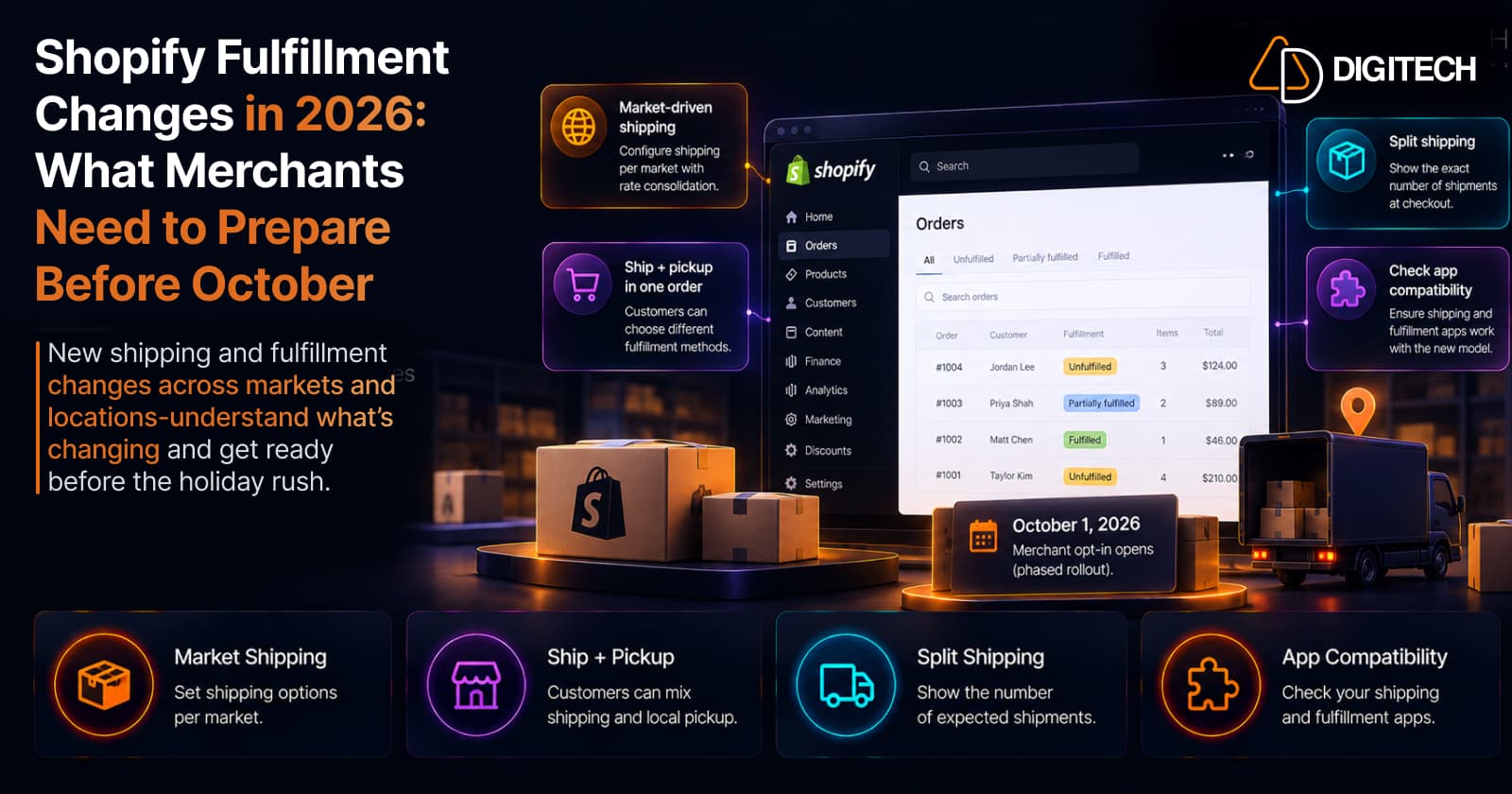
A store opens with one fulfillment location and simple flat-rate shipping. Then it grows — a second warehouse, a retail location, international markets — and shipping quietly gets complicated. Rates stack in ways customers don't expect, some products ship from different locations, orders arrive in multiple packages, and the apps and integrations you set up early were built on older fulfillment assumptions.
Shopify is now reworking the underlying fulfillment experience to match how multi-location, multi-market stores actually operate. The changes roll out in phases, and October 1, 2026 is the key checkpoint — not a forced migration date. This guide explains what's changing, who's affected, and what to review before holiday volume arrives.
What is Shopify changing about fulfillment in 2026?
Three connected changes, at a glance:
| Change | What it means | Who should care |
|---|---|---|
| Market-driven shipping | Shipping options move into Markets — you configure shipping per market, with more predictable rate behavior | International and multi-market sellers; anyone with rates that vary by region |
| Ship and pickup in one order | Customers can mix shipped items and in-store-pickup items in a single checkout | Retailers with stores + ecommerce (BOPIS) |
| Default split shipping | Checkout shows the accurate number of expected shipments based on order routing | Multi-location merchants shipping from more than one place |
The rest of this article turns each into something practical to check.
Why October 1, 2026 matters (and what it doesn't)
This is the part to get right. Here's the verified timeline:
| Date | What happens |
|---|---|
| 2026 (feature preview / Test Drive) | Market-driven shipping available to preview; ship and pickup in Test Drive for Plus & Enterprise |
| October 1, 2026 | Opt-in opens for market-driven shipping; new shops are automatically opted in; Shopify begins moving eligible existing shops; new app installs warn if incompatible |
| October 2026 – July 2027 | Phased rollout by merchant cohort (lower-risk shops first); ship and pickup expands to new shops (Jan 2027) and auto-enables for eligible existing shops (Apr–Jul 2027) |
| July 1, 2027 | The new shipping setup becomes the default for all shops |
Read that carefully: October 1 is not a day when every store must migrate. It's when opt-in opens, new stores default to the new model, and Shopify starts phasing existing stores in. The full default arrives July 1, 2027. October matters because it's the sensible point to review your setup, test your workflows, and confirm your integrations are compatible — before holiday fulfillment volume, not because of a same-day deadline.
Market-driven shipping: what merchants need to understand
Today, most stores think about shipping around products and locations. Market-driven shipping reorganizes it around the markets you sell into — you set shipping options per market, and manage where you sell and how you ship from the same place. If you sell to the US, Canada, and the UK, each market can have its own shipping options and rates in a setup that maps to how you actually sell (a natural companion to how Shopify Markets already organizes selling regions, and relevant for B2B buyer contexts too).
The most noticeable behavior change is rate consolidation. When several rates match a cart within the same shipping option, only the highest matching rate is charged at checkout, instead of the rates being added together. For example, if regular items ship at $5 and oversized items at $10 under one Standard option, a cart containing both is charged $10 — not $15. The rule has limits: it applies to flat and order-amount rates, prices from different shipping options are still added, and weight-based, carrier-calculated and app-calculated rates are calculated per shipment and added when an order splits. Charging only the highest rate is more predictable for customers, but it's also exactly the kind of behavior to test against your current rate setup so there are no surprises. Don't assume it's simpler for your specific configuration until you've checked it. Our guide to the market-driven shipping rollout covers these rules in more detail.
The upside for international sellers is structural: instead of one global shipping profile straining to cover every country, each market carries its own shipping logic that's easier to reason about. The trade-off is that you have to review each market's rates on their own terms — a store selling into five regions has five setups to verify, not one.
Who is most likely to be affected?
Impact depends entirely on your actual setup.
Higher impact:
- Multi-location merchants and international sellers
- Stores with complex shipping profiles or custom shipping logic
- Merchants using fulfillment or shipping-rate apps
- Merchants with ERP, OMS, WMS, or 3PL integrations
- Anyone with custom order-routing workflows
Lower impact:
- Single-location, domestic-only stores
- Simple catalogs with standard shipping rates
- Stores with no fulfillment integrations
If you're in the higher-impact group, the sections below are worth a deliberate pass. If you're a simple single-location store, this is more "be aware and glance at your rates" than a project.
Check your shipping setup before October
Walk through your current configuration and note anything complex or custom:
- Markets and which regions you sell to
- Shipping options, rates, and profiles — especially rates that stack today
- Product and location combinations — what ships from where
- Fulfillment locations and order routing
- Free-shipping rules and thresholds
- Carrier-calculated and app-provided rates
- International and B2B shipping rules
You're not rebuilding anything here — you're building an inventory of what you have, so you know what to test and what might behave differently under rate consolidation and per-market options.
Review your apps and integrations
This is the single most important practical step. Shopify has flagged that apps which read, create, or modify delivery profiles, or that interact with markets, order routing, or fulfillment and order management, may need compatibility updates for the new model. From October 1, 2026, new app installs show a warning if the app isn't compatible with market-driven shipping or ship and pickup.
From a merchant's seat, the action is simple: if your store relies on a shipping, fulfillment, ERP, OMS, WMS, or 3PL integration, ask the provider whether it supports Shopify's new fulfillment model — and when. A shipping-rate app or an order-routing integration that assumes the old delivery-profile structure is exactly where a quiet break can surface during peak — a rate that stops calculating, or an order that no longer routes to the right warehouse. Get that answer in writing before October rather than discovering it in November.
Test split shipping before holiday season
If you fulfill from more than one location, test what customers will actually see. Place test orders with items that route to different locations, and confirm the expected shipment count, the rates, and the checkout messaging all look right. The goal of default split shipping is to communicate multiple shipments accurately at checkout rather than surprising the customer with two boxes and a support ticket afterward — but you want to see your store's real behavior, not assume it.
Test ship and pickup if your store is eligible
If you run physical stores alongside ecommerce, ship and pickup in one order is worth testing where you have access. It lets a customer buy Product A for home delivery and Product B for in-store pickup in the same checkout, instead of placing two orders — a natural fit for the BOPIS workflows covered in our Shopify POS 2026 update.
As of September 2026, it's available via Test Drive for Shopify Plus and Enterprise merchants, and you need at least one location set to offer in-store pickup. It expands to more shops through 2027 and becomes the default for eligible stores on July 1, 2027 — so this is "test now if you're eligible," not "available to everyone today."
What merchants should not do yet
Because the rollout is phased, restraint is the right posture. Don't:
- Rebuild your entire shipping setup
- Rip out all your shipping or fulfillment apps
- Replace your ERP or 3PL
- Rebuild your theme
- Disable international markets
- Change every shipping rate preemptively
Instead, work the sequence: understand your current setup, identify the workflows that could be affected, confirm integration compatibility, test, and change only what the tests show you need to. This is a review-and-verify exercise before peak — not a demolition.
Shopify fulfillment readiness checklist
Save this and work through it before October, then again before peak:
- Review current fulfillment locations and order routing
- Review your Markets
- Review shipping profiles, options, and rates
- Check how multi-location orders route and split
- Test split-shipping behavior and expected shipment counts
- Test international orders
- Test B2B shipping where applicable
- Check your fulfillment and shipping-rate apps
- Ask every integration provider about compatibility and timing
- Test ERP / OMS / WMS / 3PL workflows
- Test ship and pickup if you're eligible
- Complete this review before October 1
- Re-test before holiday peak
When these changes may need development help
Most stores will handle this through configuration and vendor updates. But some setups have requirements that go past settings — custom delivery or shipping-rate logic, custom fulfillment workflows, ERP/OMS/WMS/3PL integrations, custom order routing, or apps built directly on delivery profiles. Those are the places where the new model most needs a careful, tested transition (and where the pre-peak checkout review overlaps).
If your Shopify store depends on custom fulfillment logic or multiple connected systems, AD Digitech can help review the current workflow, identify compatibility risks, and determine whether the right answer is configuration, an integration update, or custom Shopify development — before you commit to changing anything. See our Shopify store development work, or talk to us about your fulfillment setup.
Frequently asked questions
What is changing with Shopify fulfillment in 2026?
Three connected changes: market-driven shipping (shipping options move into Markets so you configure them per market, with rate consolidation), ship and pickup in one order (customers mix shipped and pickup items in one checkout), and default split shipping (checkout shows the exact number of expected shipments based on your order routing).
What happens on October 1, 2026?
Merchant opt-in for market-driven shipping opens, new shops are automatically opted in, and Shopify begins moving eligible existing shops to the new setup as part of a phased rollout. New app installs also start showing a warning if the app isn't compatible with the new model. It's a rollout checkpoint, not a universal switch-over date.
Is October 1 a mandatory Shopify fulfillment migration deadline?
No. October 1, 2026 opens opt-in and begins a phased rollout; it does not force every store to migrate that day. The new shipping setup becomes the default for all shops on July 1, 2027. October 1 matters because it's the point to review, test, and confirm app compatibility before holiday volume — not a same-day migration.
What is market-driven shipping in Shopify?
It reorganizes shipping configuration around the markets you sell into rather than around products and locations. You set shipping options per market, and rate consolidation means that when several flat or order-amount rates match within the same shipping option, only the highest one is charged instead of the rates being added together. Prices from different shipping options are still added, and weight-based, carrier-calculated and app-calculated rates are calculated per shipment and added when an order splits.
Does Shopify's new fulfillment system affect shipping apps?
It can. Apps that read, create, or modify delivery profiles, or that interact with markets, order routing, or fulfillment, may need compatibility updates. From October 1, 2026, new installs show a warning if an app isn't compatible. If you rely on a shipping, fulfillment, ERP, OMS, WMS, or 3PL integration, ask the provider whether it supports the new model.
What is split shipping in Shopify?
When an order's items ship from different locations, split shipping is showing the customer the accurate number of expected shipments at checkout based on your order routing — instead of hiding it and surprising them with multiple packages after purchase.
Can Shopify customers ship some products and pick up others in one order?
Yes, where enabled. Ship and pickup in one order lets a customer choose different delivery methods for different products in a single checkout. As of September 2026 it's available via Test Drive for Shopify Plus and Enterprise merchants (with at least one pickup location), expanding through 2027 and becoming default for eligible shops on July 1, 2027.
Building something on Shopify?
We design, build, and maintain Shopify apps, stores, and AI products — to the standard this article describes.
Related reading

Shopify Adds Stock Counts in Admin: How Merchants Can Verify Inventory Before Peak Season
Shopify stock counts let staff record what's on the shelf and let a manager approve the differences before inventory changes. Here's how the workflow works in admin and POS.
Read article
Shopify Adds Arabic, Urdu, and Hebrew Support: What Merchants Must Check Before Launch
Shopify improved RTL support for Arabic, Urdu and Hebrew in the admin, storefronts and checkout. Here's what's covered, what isn't, and what to test before launch.
Read article
Shopify Translate & Adapt Auto-Sync: How to Keep Translations Current Before BFCM
Translate & Adapt can now update translations weekly with Auto-sync. Here's who can use it, how it differs from Translate now, and how to plan translations before BFCM.
Read article
Shopify Flow Shipping Label Automation: Setup, Rules, and What Merchants Should Test Before BFCM
Shopify Flow can now buy shipping labels automatically for orders that match your rules. Here's how the action works, example workflows, and what to test before BFCM.
Read article
Shopify Automated Policies: 7 Things Merchants Should Check Before Enabling Them
Shopify can now generate and update your return, shipping, terms of service and contact policies from your store settings. Here's what to check before you turn automation on.
Read article
Shopify Purchase Order Analytics: How to Spot Stock Risks Before BFCM
Shopify Analytics now includes purchase order reports. Here's what each report shows, how to use them to spot stock risks before BFCM, and what they can't tell you.
Read article
Shopify Rollouts: How Merchants Can Safely Test Store Changes Before BFCM
Learn how Shopify Rollouts let merchants schedule, test, and launch store changes safely before BFCM, including themes, discounts, catalogs, and checkout.
Read article
Shopify Shop Checkout Gets Faster: What Merchants Need to Know
Shopify's October 5, 2026 Shop update brings faster checkout and carts that sync across devices. See how it works, who qualifies and what to check before BFCM.
Read article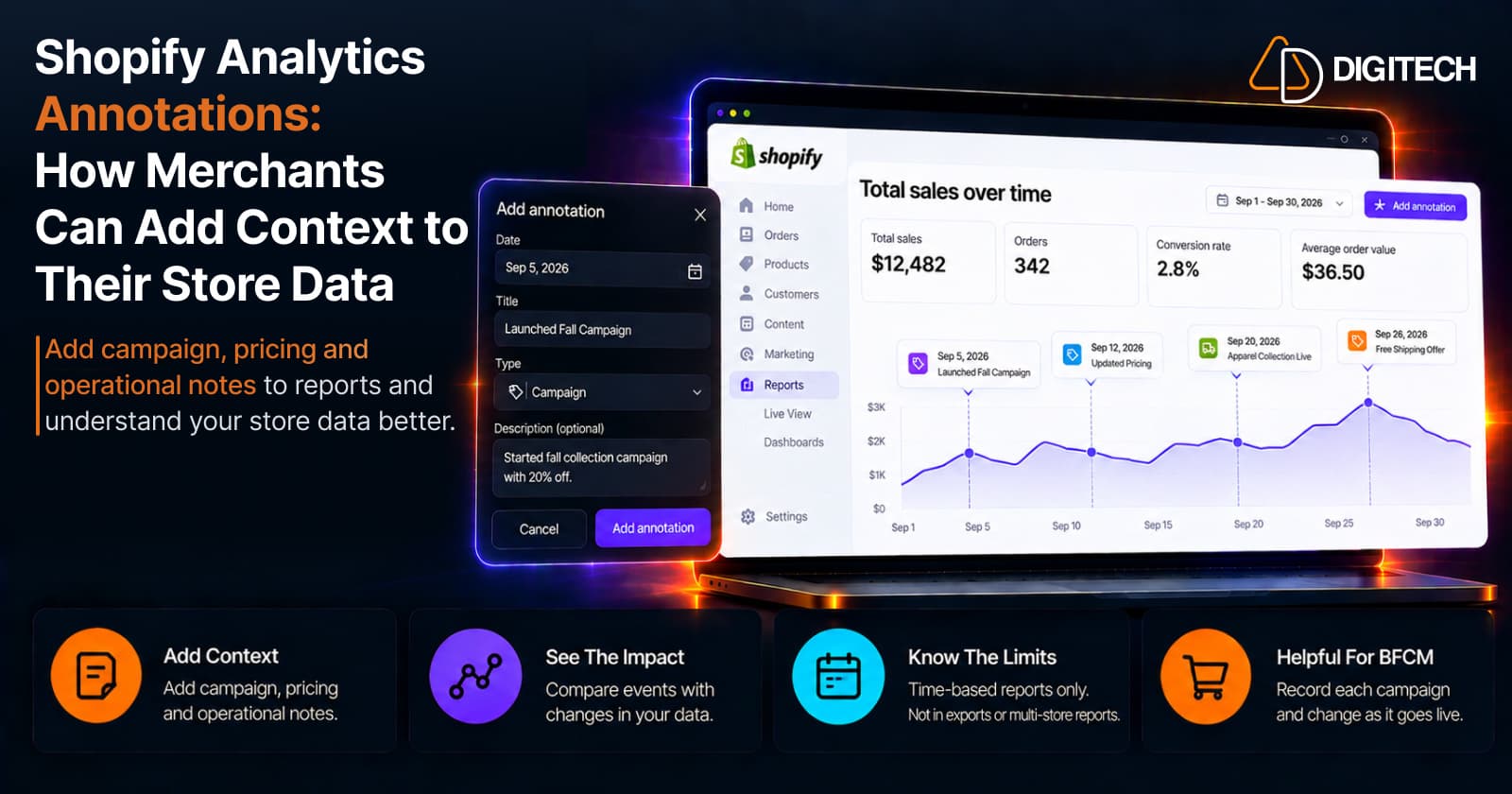
Shopify Analytics Annotations: How Merchants Can Add Context to Their Store Data
Shopify Analytics annotations let merchants add campaign, pricing and operational notes to reports. See how they work, the limits, and how to use them for BFCM.
Read article