Shopify Store Maintenance: What to Handle In-House vs. Outsource
Shopify runs the platform; your theme, apps and integrations are yours to maintain. What to handle in-house, when to hire a developer and what support covers.
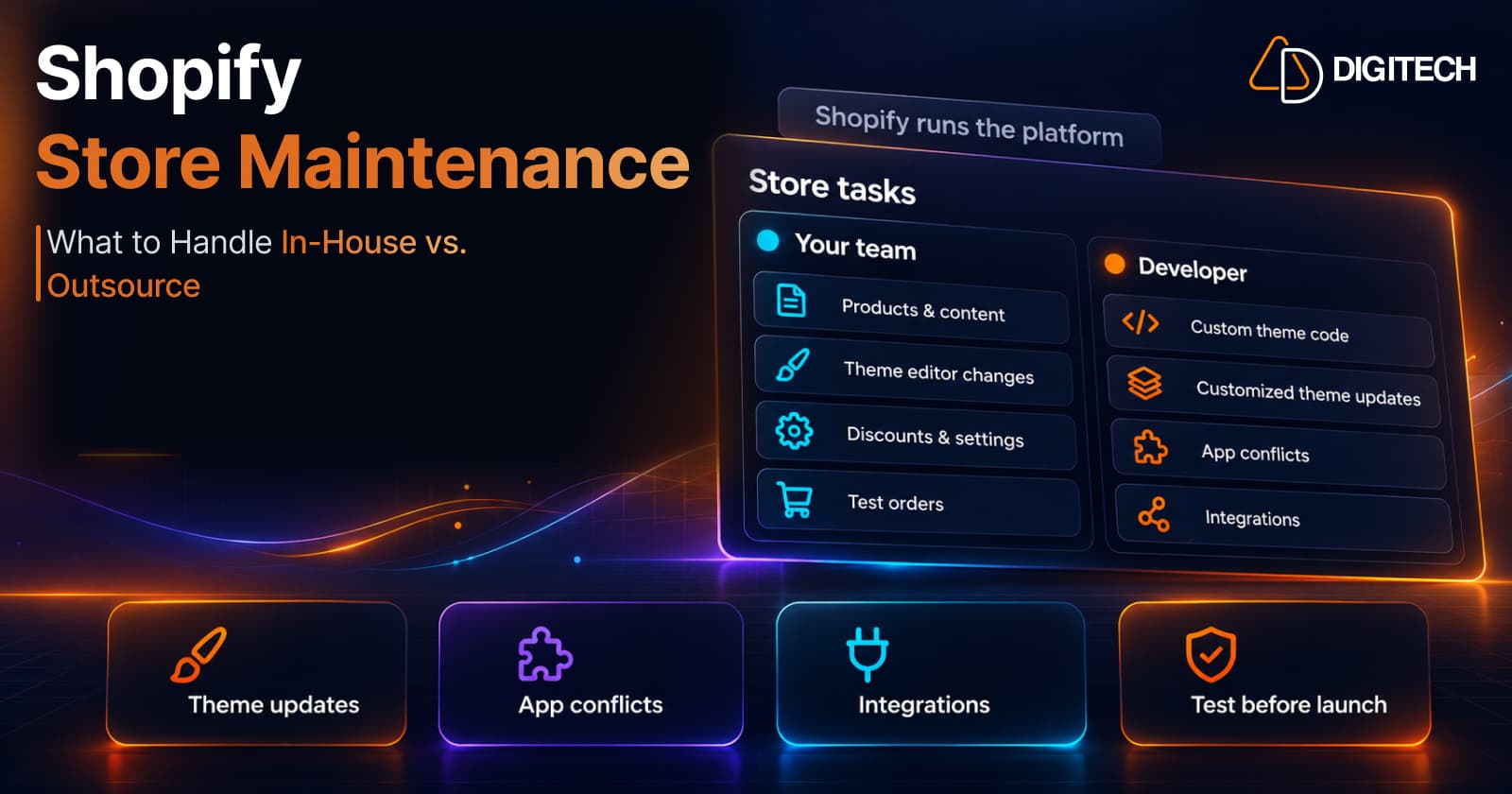
Most growing Shopify stores reach the same point. The team can handle products, discounts and content, but the theme has been customized, a dozen apps are installed, an ERP or 3PL is connected, and small problems start to take longer to fix than they should. Nobody is quite sure whether a slow page is the theme, an app or something Shopify changed.
This guide helps you decide which store work your team can keep, when a developer is the better choice, what an ongoing support arrangement should cover, and how to judge whether a partner is any good. It's written for store owners and ecommerce managers, not developers.
What Shopify Maintains and What You Maintain
Shopify runs the platform. You don't manage servers, apply security patches to the platform or maintain card-payment infrastructure; Shopify states that it's certified Level 1 PCI DSS compliant. Shopify also releases platform changes regularly, which you can follow in the Shopify Changelog.
Everything built on top of that is yours:
| Shopify handles | Your store is responsible for |
|---|---|
| Hosting and platform infrastructure | Theme customizations and custom code |
| The core checkout and admin | Installed apps and how they interact |
| Platform security and PCI DSS compliance | Integrations with ERPs, 3PLs, marketing and review tools |
| Platform updates and new features | Tracking, analytics and consent setup |
| Staff accounts, permissions and app access | |
| Content, products, settings and policies |
"Store maintenance" on Shopify means looking after the right-hand column. Shopify's platform updates can affect it too, which is why someone needs to keep an eye on what changes.
What Your Team Can Usually Handle In-House
Most day-to-day work doesn't need a developer:
- Products, collections and content: descriptions, images, pages, blog posts.
- Theme editor changes: sections, blocks, colours and layout options the theme already offers.
- Discounts, shipping rates and settings in the admin.
- Installing well-supported apps for common needs, and removing ones you no longer use.
- Policies, navigation and SEO basics such as titles and descriptions.
- Routine checks: placing a test order, clicking through key pages on mobile, reviewing reports.
The test is simple: if the change uses settings Shopify or the theme already provides, your team can probably do it. When it needs code, or touches several systems at once, it's a different kind of work.
When You Need a Developer
These are the situations where in-house trial and error usually costs more than getting help:
- Theme code changes: new sections, layout changes the theme editor can't do, or anything in Liquid, JavaScript or CSS files.
- Theme updates on a customized theme. Shopify says theme editor customizations carry over and code edits are included if they don't conflict with the update. When they conflict, someone has to move them across by hand. Themes purchased outside the Shopify Theme Store don't receive Shopify's standard theme updates; Shopify advises contacting the theme designer for updates.
- App conflicts: two apps that both change the cart or product page, leftover code from uninstalled apps, or a script that breaks checkout behaviour. Our guide to how third-party apps affect store performance covers the speed side.
- Performance problems that aren't solved by removing one obvious app. Our guide to diagnosing a slow Shopify store shows how to narrow it down.
- Integrations: stock, orders or customer data moving between Shopify and another system incorrectly.
- Custom functionality no app provides, such as custom discount logic or checkout extensions.
- Changes with real risk: a theme switch, a migration, or launching in a new market.
In-House vs Developer: A Quick Guide
| Task | In-house | Developer | Why |
|---|---|---|---|
| Adding products and content | ✓ | Uses standard admin tools | |
| Rearranging theme sections | ✓ | The theme editor is built for it | |
| A new custom section or template | ✓ | Needs theme code | |
| Updating a customized theme | ✓ | Code edits may need moving by hand | |
| Installing a common app | ✓ | Usually self-serve | |
| Fixing a conflict between apps | ✓ | Needs code-level investigation | |
| Fixing slow pages | Partly | ✓ | Easy wins in-house; the rest needs testing |
| Connecting an ERP or 3PL | ✓ | Data mapping and error handling | |
| Testing checkout before a sale | ✓ | ✓ | Your team tests; a developer fixes what breaks |
Signs Ad Hoc Fixes Are No Longer Enough
Occasional help works well until it doesn't. These are the signs it's time for something more structured:
- The same problem keeps coming back after being "fixed".
- Nobody knows what's in the theme, or which apps added which code.
- Every change feels risky, so useful improvements are put off.
- Fixes take days because each new freelancer has to learn the store from scratch.
- Problems are found by customers, not by your team.
- Peak season makes you nervous because nothing has been tested ahead of time.
What a Useful Ongoing Support Arrangement Covers
If you decide on ongoing support, the agreement matters more than the label. A useful one is clear on:
- Scope: what's included, such as fixes, small changes or monitoring, and what counts as a separate project.
- Requests and priorities: how you raise issues and how urgent ones are handled.
- Response times for urgent and routine work.
- Testing: changes built on an unpublished copy of the theme or tested before they go live. Shopify's own tools help here; our guide to Shopify Rollouts covers scheduling and testing theme changes.
- Access: the partner works through their own staff or collaborator access, not your owner login, and access is removed when the work ends.
- Ownership: you own the theme code and anything custom-built, and it's documented.
- Reporting: what was done, what was found and what's recommended next.
Do You Need a Monthly Retainer?
Not necessarily. There are three common models, and each suits different stores:
- Ad hoc work: you pay per task or project. Best when changes are occasional and simple.
- A block of hours: you buy time in advance and use it as needed. Suits stores with steady small requests.
- A monthly retainer: an ongoing arrangement with agreed scope and response times. Makes sense when the store relies on custom code or integrations, changes often, or can't afford slow fixes.
Choose the model that matches how much work you actually have, not the one that sounds most complete.
How to Evaluate a Shopify Development Partner
Before you hire anyone, ask:
- How do you test changes before they go live?
- What happens if a change breaks something? Can it be rolled back?
- Who will work on our store, and will it be the same people each time?
- Do we own the code, and will you document custom work?
- How do you handle theme updates on a customized theme?
- How do you report what you've done and what you recommend?
- Can you show relevant Shopify work, such as similar stores or problems you've solved?
Vague answers to the first three are a warning sign, whatever the price.
Conclusion
Shopify takes care of the platform. Your theme, apps, integrations and settings are what need looking after. Keep the work your team can do safely with standard tools, bring in a developer for code, conflicts, integrations and risky changes, and choose an arrangement that fits how often you need help.
If your store has reached the point where small problems take too long to fix, or you'd like someone to review the theme, apps and integrations before they cause a bigger issue, our Shopify development team can help, from one-off fixes to ongoing support. You can also contact us to talk through what your store needs.
Frequently asked questions
Does a Shopify store need maintenance if Shopify hosts it?
Yes, but not the server kind. Shopify runs the platform. What still needs looking after is everything specific to your store: theme customizations, apps, integrations, tracking, content and settings. Those change over time and can break or slow the store.
Do theme updates overwrite my customizations?
Not entirely. Shopify says theme editor customizations are copied to the updated theme, and code edits are included if they don't conflict with the update. If they aren't included, you have to copy them into the new version yourself. Shopify recommends saving a copy of customized code before updating.
Should a growing store hire an in-house developer or an agency?
It depends on how much development work you have. A steady stream of daily changes can justify an in-house developer. Occasional complex work, or a need for several skills such as theme code, integrations and performance, often suits an agency or freelance specialist.
Does every Shopify store need a monthly maintenance retainer?
No. Many stores manage with occasional help when something needs building or fixing. A retainer makes more sense when changes are frequent, the store relies on custom code or integrations, or problems are costing sales and you need someone who already knows the setup.
What should a Shopify maintenance agreement include?
At minimum: what's in and out of scope, how requests are submitted and prioritized, response times, how changes are tested before going live, who owns the code and accounts, and what reporting you get. Without these, it's hard to know what you're paying for.
Building something on Shopify?
We design, build, and maintain Shopify apps, stores, and AI products — to the standard this article describes.
Related reading

Shopify Adds Stock Counts in Admin: How Merchants Can Verify Inventory Before Peak Season
Shopify stock counts let staff record what's on the shelf and let a manager approve the differences before inventory changes. Here's how the workflow works in admin and POS.
Read article
Shopify Adds Arabic, Urdu, and Hebrew Support: What Merchants Must Check Before Launch
Shopify improved RTL support for Arabic, Urdu and Hebrew in the admin, storefronts and checkout. Here's what's covered, what isn't, and what to test before launch.
Read article
Shopify Translate & Adapt Auto-Sync: How to Keep Translations Current Before BFCM
Translate & Adapt can now update translations weekly with Auto-sync. Here's who can use it, how it differs from Translate now, and how to plan translations before BFCM.
Read article
Shopify Flow Shipping Label Automation: Setup, Rules, and What Merchants Should Test Before BFCM
Shopify Flow can now buy shipping labels automatically for orders that match your rules. Here's how the action works, example workflows, and what to test before BFCM.
Read article
Shopify Automated Policies: 7 Things Merchants Should Check Before Enabling Them
Shopify can now generate and update your return, shipping, terms of service and contact policies from your store settings. Here's what to check before you turn automation on.
Read article
Shopify Purchase Order Analytics: How to Spot Stock Risks Before BFCM
Shopify Analytics now includes purchase order reports. Here's what each report shows, how to use them to spot stock risks before BFCM, and what they can't tell you.
Read article
Shopify Rollouts: How Merchants Can Safely Test Store Changes Before BFCM
Learn how Shopify Rollouts let merchants schedule, test, and launch store changes safely before BFCM, including themes, discounts, catalogs, and checkout.
Read article
Shopify Shop Checkout Gets Faster: What Merchants Need to Know
Shopify's October 5, 2026 Shop update brings faster checkout and carts that sync across devices. See how it works, who qualifies and what to check before BFCM.
Read article
Shopify Analytics Annotations: How Merchants Can Add Context to Their Store Data
Shopify Analytics annotations let merchants add campaign, pricing and operational notes to reports. See how they work, the limits, and how to use them for BFCM.
Read article