Shopify Canvas Explained: How AI Is Changing Shopify Store Design in 2026
Shopify Canvas, announced October 1, 2026, lets merchants design a store with Sidekick. See how it works, its current limits, and what it means for developers.
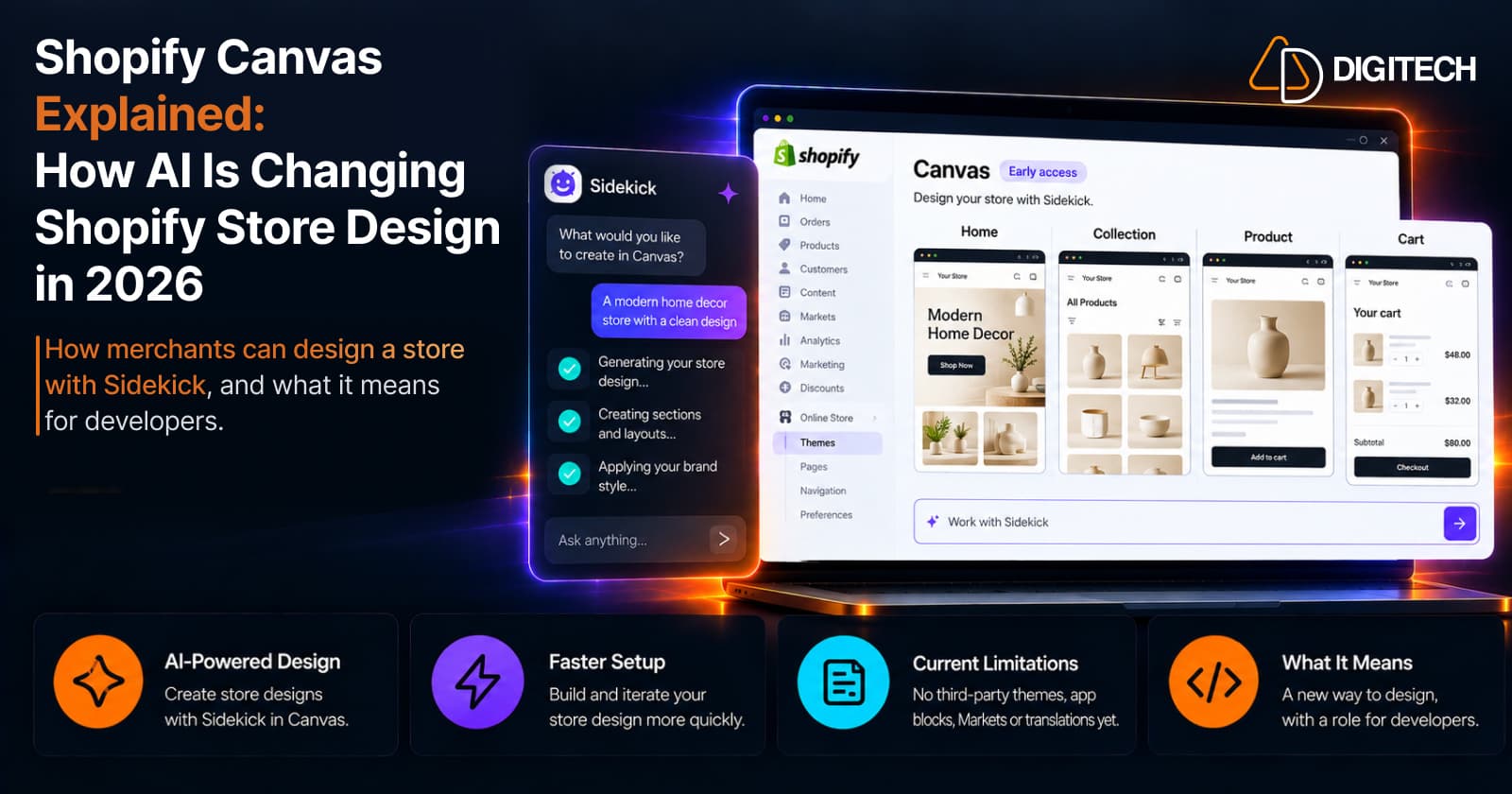
On October 1, 2026, Shopify announced Canvas, a new design surface for the online store. It lays out every page of a store in one workspace, and lets merchants change the design by clicking on it or by describing what they want to Sidekick, Shopify's AI agent.
That's a real change in how Shopify stores can be designed. It's also early. Shopify calls Canvas early access, says it isn't replacing the existing theme editor yet, and lists several things it doesn't support at launch. This article covers what Canvas is, how it works, where its limits are, and what it means for store development.
Early access: Shopify Canvas is currently in early access and is rolling out to selected stores. Its availability and capabilities may change as Shopify continues developing the experience.
What Is Shopify Canvas?
Canvas is a new way to create or edit an online store theme. Instead of working on one template at a time, you see all your store's templates side by side in what Shopify calls an "interactive, infinite workspace". You can pan across them to judge how the store feels as a whole, then zoom into one page to work on the details.
Shopify's reason for building it is stated in its announcement: a bespoke store has traditionally meant writing code, paying someone who could, or working through a long settings panel. Canvas is meant to let merchants reach a custom design by describing it.
You'll see Canvas called a Shopify AI store builder or an AI website builder. That's fair shorthand, but those aren't Shopify's terms. Shopify describes Canvas as a design surface where merchants build with Sidekick, which is more precise: it's AI-assisted store design on a Shopify theme, not a separate site builder.
Two details matter from the start. Canvas works on themes, so the result is still a Shopify theme. And what you see isn't a mockup. Shopify says merchants are editing "a render of the real code behind the store".
How Shopify Canvas Works
Four pieces work together:
- Canvas is the workspace where you view and edit the theme.
- Sidekick is the AI agent that makes the changes. According to Shopify, it now works directly on the theme's files, validates its code, and reviews screenshots of the result before handing it back.
- The theme is what's being built or changed. Canvas works with themes developed by Shopify and with custom themes.
- The theme editor is still there. Your original theme stays in it.
There are two ways in, both from the Themes page under Online Store:
- Create a new theme. Click New, describe your brand and the store you want, and Sidekick builds a theme and opens it in Canvas. It's added to your theme library unpublished.
- Duplicate an existing theme in Canvas. The copy can be edited only in Canvas, and the original stays in the theme editor. The two are separate, so changes to one aren't added to the other.
A realistic example
A merchant wants a new homepage hero. They duplicate their theme in Canvas, open the homepage, and type a request into the Work with Sidekick field: a full-width hero with a short headline, one button and a lifestyle image.
Sidekick makes the change and it appears in Canvas. The merchant checks it at desktop, tablet and mobile widths, edits the headline text directly in the preview, and asks Sidekick for a smaller button. Customers see nothing until the merchant clicks Publish.
Changes save automatically. Your own edits can be undone with the undo button. Sidekick's changes are reversed by asking Sidekick to change them back, or by restoring an earlier version from the theme history. One thing to know: when Sidekick makes a change, your undo history is cleared.
What Can Merchants Do With Shopify Canvas?
Based on Shopify's documentation, merchants can:
- See the whole store at once. Every template is laid out together, with a Jump to field for going straight to one.
- Build a new theme from a description of the brand.
- Try changes on a copy of a theme without touching the original, which suits storefront experimentation.
- Edit blocks, settings and text directly, including theme-wide settings such as colors and typography.
- Ask Sidekick for changes that aren't in a block's settings. Shopify says this ranges from a single section to a store-wide redesign.
- Preview the working store, with interactions and animations, and with different products, collections and pages.
- Check responsive layouts at desktop, tablet, mobile or custom widths.
- Review and restore earlier versions from the theme history.
- Publish with a review step. If the theme can't be published, a Fix with Sidekick option addresses the errors.
In practice that covers homepage design, how product and collection pages are presented, visual styling, and custom sections that a theme doesn't offer out of the box.
Shopify Canvas vs Shopify Theme Editor
Shopify is launching Canvas alongside the existing theme editor, not in place of it. The two have different roles.
| Canvas | Theme editor | |
|---|---|---|
| Purpose | Design or redesign a theme across the whole store | Customize a theme one template at a time |
| Editing experience | All templates side by side, with pan and zoom | One template in view, with a sidebar and settings panel |
| AI assistance | Central. Sidekick builds and changes the theme from descriptions | Available. Sidekick can customize themes and generate blocks here too |
| Visual editing | Click blocks, edit text in the preview, change settings | Click sections and blocks, change settings |
| Code access | Sidekick writes the theme code. Theme files can't be downloaded | Code editor and theme file download |
| Customization | Changes beyond block settings, by asking Sidekick | Within the theme's sections, blocks and settings, plus app blocks and custom code |
| Ease of use | Describe what you want, then review the result | Familiar and predictable, but more manual |
| Target user | Merchants who want a custom look without coding | Merchants and developers maintaining a production theme |
| Current limitations | Early access, desktop only, no third-party themes, Markets, translations or app blocks | Custom design beyond theme settings needs code or an app |
Neither is better in every case, and Canvas doesn't replace the theme editor. Canvas is stronger for exploring and reshaping a design. The theme editor is the dependable choice for a live store that relies on apps, markets and translations.
Can Shopify Canvas Replace a Shopify Developer?
Not on current evidence, and Shopify doesn't claim that it does. The useful distinction is between merchant-led visual customization, which Canvas is built for, and more complex Shopify development work, which involves things Canvas doesn't cover.
Canvas may reduce developer involvement for:
- Basic visual changes, such as layout, spacing, typography and colors.
- Simple sections and content changes beyond a block's settings.
- Early design exploration, trying directions before committing to one.
- Merchant-led experimentation, without raising a request for each small tweak.
Professional development can still be relevant where the work goes beyond visual design:
- Shopify app integrations. Canvas can't add or configure app blocks or app embeds at launch.
- Complex Markets and localization requirements. Market-specific customization and translations aren't supported in Canvas.
- Advanced Liquid and theme architecture. How templates, sections and data fit together across a large catalogue is a design decision in its own right.
- Long-term maintainability. A theme edited in Canvas no longer receives theme updates, and its files can't be downloaded, so upkeep needs a plan.
- Complex custom functionality and custom JavaScript. Product configurators, B2B logic and custom integrations need to be designed, tested and reviewed.
- Performance optimization. Any new custom code affects load time and should be measured. Our guide to Shopify theme performance mistakes covers the common causes.
- Conversion optimization. A design that looks good isn't automatically one that converts. See our product page CRO checklist.
- Shopify Plus and advanced checkout requirements. Canvas edits the online store theme. Checkout and customer accounts are customized separately.
- Troubleshooting, when something behaves differently from what was asked for.
How much of this applies depends on the store. A simple storefront may need none of it.
Important Shopify Canvas Limitations
Everything below comes from Shopify's changelog and Help Center as of October 2, 2026.
| Limitation | Why it matters |
|---|---|
| Early access. Available only to certain stores, rolling out over the coming days | You may not have it yet |
| Desktop only | Canvas can't be opened on a phone or tablet. Previewing mobile widths on desktop still works |
| Third-party Theme Store themes aren't supported. Only themes developed by Shopify and custom themes | Stores on a third-party theme can't duplicate it into Canvas |
| No app blocks or app embeds | Reviews, subscriptions, wishlists and similar app features can't be placed or configured |
| No Markets customization | You can't tailor the theme for different markets |
| No translations in Canvas | Multi-language stores can't translate theme content there |
| No theme updates | A Canvas-edited theme stops receiving the theme's updates |
| Rollouts can't edit a Canvas theme | You can add a Canvas theme to a rollout as a replacement for your main theme, but not edit it through one |
| Theme files can't currently be downloaded for a theme edited in Canvas | You can't keep an offline backup, move the theme to another store as a file, or use development workflows that start from the theme files |
| New blocks can't be added manually | You can't add a block yourself, as you can in the theme editor |
| The copy is separate from the original | The copy can be edited only in Canvas, and its changes don't flow back to the theme in the theme editor |
| Staff need the Edit code permission for themes | Not every staff account can open Canvas |
On a live store, customers can't see changes made in Canvas until you publish them.
Two of these limits are expected to change. Shopify staff have told app developers that app block support is planned "within the next few weeks", and told theme developers that Shopify is working toward third-party theme compatibility. Neither has a date, so treat both as intentions.
Is Shopify Canvas Ready for Your Store?
That depends on what your store relies on.
Canvas may be useful if:
- You run a simpler store on a Shopify-developed theme, such as Horizon.
- You want to explore a redesign on a copy before committing to it.
- You're comfortable in the Shopify admin and want to make basic customizations yourself.
- Your storefront doesn't depend on app blocks.
Additional development may still be needed if:
- Your store uses a third-party theme.
- You sell in several markets or languages. Our Shopify Markets guide explains what that involves.
- Your storefront is app-heavy.
- Your theme is highly customized and has to stay in step with ongoing changes.
- You have advanced conversion, testing, B2B or Shopify Plus requirements.
For a production store the safe approach is the one Canvas already encourages: work on a duplicate, test it properly, and publish only when it does everything your live theme does.
What Shopify Canvas Means for Shopify Store Development
AI-assisted storefront creation is now a first-party Shopify workflow. Shopify says Sidekick made "more than twenty-five million edits to themes in the first half of 2026", and Canvas gives that work a dedicated surface.
Several things follow:
- Faster experimentation and prototyping. A design direction can be tried quickly, on a copy.
- More merchant autonomy over the look of the store.
- Themes as a starting point. Shopify told theme developers it expects themes to be "a starting point for merchants to realize their vision".
- A shift in developer work toward architecture, performance, integrations and advanced customization, and toward reviewing what was generated.
Shopify is also clear about the stage this is at. Its announcement says Canvas "is not replacing the existing editor yet" and that "there are gaps we still need to close". It has said it expects to support apps before Canvas becomes the default editor, which shows the direction without setting a timeline.
Final Takeaway
Canvas makes custom store design more accessible, and for simple stores on Shopify's own themes it's worth trying on a duplicate. For stores that depend on apps, third-party themes, multiple markets or heavily customized code, it isn't a replacement for the theme editor yet.
Treat it as a fast way to explore and build design, and keep judging the result by the same standards as any theme: speed, conversion, compatibility and maintainability. Stores with complex requirements can still benefit from experienced Shopify developers for advanced customization, integrations, Core Web Vitals and scalable storefront architecture.
Frequently asked questions
What is Shopify Canvas?
Canvas is a new design surface for the Shopify online store, announced on October 1, 2026. It shows all of a store's templates in one workspace, where you can edit elements directly or ask Sidekick, Shopify's AI agent, to build or change the theme.
Is Shopify Canvas available to everyone?
Not yet. Shopify's Help Center says Canvas is in early access and available only to certain stores, and Shopify says it's rolling out to existing stores over the coming days. It's available on plans that include theme customization.
Is Shopify Canvas free?
Shopify hasn't announced a separate price for Canvas. Its documentation says Canvas is available on plans that include theme customization.
Does Shopify Canvas replace the Theme Editor?
No. Canvas currently works alongside Shopify's existing Theme Editor. Shopify describes Canvas as an early-access experience and says it isn't replacing the existing editor yet.
Can Shopify Canvas edit my existing theme?
Yes, but Canvas currently supports Shopify-developed and custom themes, not third-party Shopify Theme Store themes. When you duplicate a supported theme in Canvas, Shopify creates a separate copy. Changes made to the Canvas version don't affect the original theme.
Does Shopify Canvas support Shopify Markets?
Not at launch. Shopify's documentation says you can't customize a theme for different markets in Canvas, and you can't translate theme content directly in it.
Can Shopify Canvas be used on mobile?
No. Canvas is available only on desktop devices, so you can't open or edit in it from a phone. Previewing is a separate thing: inside Canvas on desktop, you can check how your store looks at mobile, tablet and desktop widths.
Can Shopify Canvas replace a Shopify developer?
It can reduce developer involvement for basic visual changes, simple sections and early design exploration. More complex work, such as app integrations, multi-market stores, custom functionality, performance and long-term maintenance, can still call for development.
Building something on Shopify?
We design, build, and maintain Shopify apps, stores, and AI products — to the standard this article describes.
Related reading

Shopify Adds Arabic, Urdu, and Hebrew Support: What Merchants Must Check Before Launch
Shopify improved RTL support for Arabic, Urdu and Hebrew in the admin, storefronts and checkout. Here's what's covered, what isn't, and what to test before launch.
Read article
Shopify Translate & Adapt Auto-Sync: How to Keep Translations Current Before BFCM
Translate & Adapt can now update translations weekly with Auto-sync. Here's who can use it, how it differs from Translate now, and how to plan translations before BFCM.
Read article
Shopify Flow Shipping Label Automation: Setup, Rules, and What Merchants Should Test Before BFCM
Shopify Flow can now buy shipping labels automatically for orders that match your rules. Here's how the action works, example workflows, and what to test before BFCM.
Read article
Shopify Automated Policies: 7 Things Merchants Should Check Before Enabling Them
Shopify can now generate and update your return, shipping, terms of service and contact policies from your store settings. Here's what to check before you turn automation on.
Read article
Shopify Purchase Order Analytics: How to Spot Stock Risks Before BFCM
Shopify Analytics now includes purchase order reports. Here's what each report shows, how to use them to spot stock risks before BFCM, and what they can't tell you.
Read article
Shopify Rollouts: How Merchants Can Safely Test Store Changes Before BFCM
Learn how Shopify Rollouts let merchants schedule, test, and launch store changes safely before BFCM, including themes, discounts, catalogs, and checkout.
Read article
Shopify Shop Checkout Gets Faster: What Merchants Need to Know
Shopify's October 5, 2026 Shop update brings faster checkout and carts that sync across devices. See how it works, who qualifies and what to check before BFCM.
Read article
Shopify Analytics Annotations: How Merchants Can Add Context to Their Store Data
Shopify Analytics annotations let merchants add campaign, pricing and operational notes to reports. See how they work, the limits, and how to use them for BFCM.
Read article
Shopify's New Market-Driven Shipping Is Rolling Out: What Merchants Need to Know
Shopify Market-Driven Shipping began rolling out on October 1, 2026. See what changes, who is affected, and what to check before BFCM.
Read article