How Third-Party Shopify Apps Affect Store Performance (And What to Do About It)
Third-party apps are the #1 cause of slow Shopify stores — but the answer isn't zero apps, it's a lean, intentional stack. Here's exactly how apps hurt performance, the difference between the ones that matter and the ones that don't, how to find which app is slowing you down, and a keep/replace/defer/remove framework to fix it without losing function.
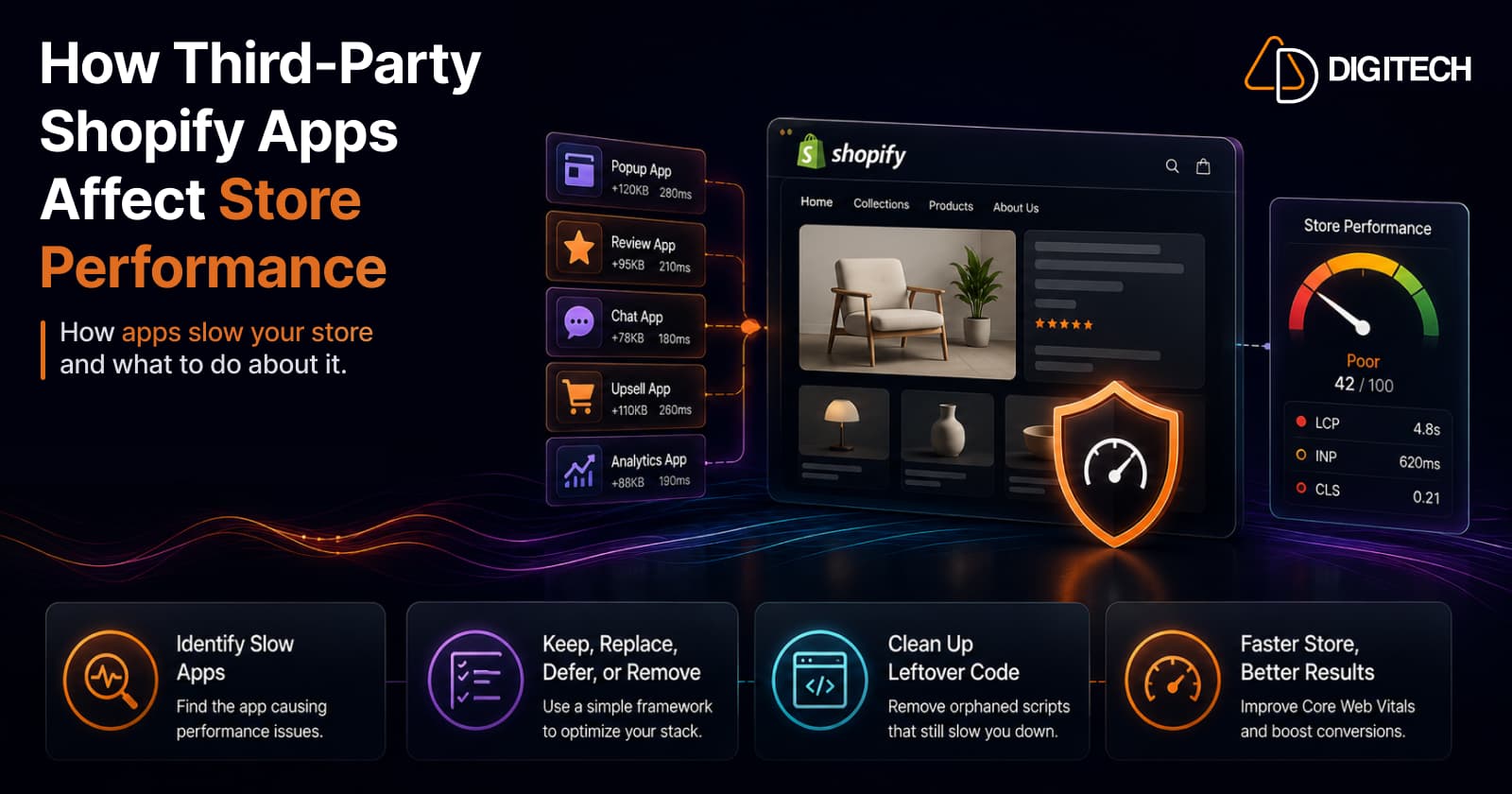
The short version: third-party apps are the number-one cause of slow Shopify stores — but the fix isn't zero apps, it's a lean, intentional stack. Most stores run 15–20 apps, many long forgotten, each loading JavaScript on every page whether it's used or not. The good news: you can find exactly which app is hurting you and fix it without losing function. Here's how apps hurt, how to diagnose the culprit, and what to do about it.
We audit Shopify app stacks, so this is the deep dive on the app dimension of store speed — the fuller treatment of what the 10 performance mistakes covered as a single item, measured against the Core Web Vitals framework.
Why apps hurt performance — the mechanics
Third-party app sprawl, not the platform, is the single biggest cause of slow Shopify stores. The numbers are consistent across the industry:
- The average store runs 15–20 apps, each adding 100–500ms of JavaScript per page.
- App scripts are blamed for 60–80% of Shopify performance issues.
- Crucially, that script loads whether or not the visitor ever uses the feature. A review widget, a currency switcher, an upsell popup — each downloads, parses, and executes on the main thread on every page, for every visitor.
Two effects stack up. First, main-thread blocking: all that JavaScript competes for the browser's attention, which is exactly what wrecks INP (responsiveness). Second, third-party requests: each app often calls a server you don't control, and your page waits on the slowest of them. Add enough and the pattern is stark — stores with more than ~8 front-end apps typically show mobile LCP above 3 seconds.
But not every app hurts — the distinction that matters
Here's the nuance most "delete your apps" advice skips: only front-end apps affect storefront speed.
- Back-office / admin / background apps — accounting, fulfillment, inventory sync, reporting — do their work in the admin or via background jobs. They never touch your storefront, so they cost you nothing in Core Web Vitals. You can run a dozen and your store stays fast.
- Front-end (storefront) apps — anything that renders something to shoppers — are the ones that inject scripts into the pages your customers load. These are where your performance budget goes.
How a front-end app loads matters just as much as whether it exists:
- Theme app extensions and app blocks are the modern approach — apps embed into your theme without injecting global scripts, which dramatically lowers their performance cost.
- The legacy script-tag injection method loads the app's code globally, on every page, regardless of need. Older apps still do this, and it's the worst-behaving pattern.
So the goal isn't "fewer apps" as a blunt rule — it's removing the front-end apps that don't earn their cost, and preferring well-built ones for the jobs you keep.
How to find which app is slowing you down
Don't guess — measure. The reliable 2026 approach uses three tools side by side:
- Google PageSpeed Insights — your real Core Web Vitals field data (what Google actually ranks on), not a lab estimate.
- Shopify's admin performance dashboard — a per-app hint of impact. Treat it as a starting point, not gospel (it's lab-based).
- Chrome DevTools — the detail. Lighthouse for the render trace and the unused-JavaScript report; the Coverage tab to see how much of each script is dead weight; the Performance profiler to record a real interaction.
The isolation method that actually pins the culprit:
- Record a typical interaction in the Performance profiler — open the cart drawer, switch a product variant — and look for long tasks exceeding 50ms. Those are your responsiveness killers.
- Trace them to a third-party domain to identify the offending app.
- Disable the suspect on a development theme, then re-measure. The before/after is the only real proof of an app's cost.
(For Liquid-level slowness rather than app scripts, the Shopify Theme Inspector for Chrome visualises render profiling and is worth a look too.)
What to do about it — the keep / replace / defer / remove framework
Go through your front-end apps one at a time. For each, pick one of four:
Remove — the fast, high-value win. Unused apps, forgotten trials, and two apps doing the same job. Be thorough about cleanup (see orphaned code below).
Replace with native or a Function — often the single biggest win. Many jobs that once needed an app are now native or buildable with Shopify Functions, which run on Shopify's infrastructure without injecting front-end scripts — discounts, bundles, and some upsells especially. Knowing when to reach for a Function versus an app is one of the most valuable performance skills you can have.
Defer / lazy-load — for genuinely useful scripts that don't need to run immediately (chat widgets, some social embeds), load them after interaction instead of on first paint.
Keep, but scope — the app earns its place, so make sure it only loads where it's needed. A reviews widget belongs on the product page, not firing on your cart and checkout.
Don't forget orphaned code
A trap that catches people after they've done the work: uninstalling an app doesn't always remove its code. Modern app blocks usually clean up after themselves, but older theme injections frequently don't — leaving script tags and snippets that keep loading even though the app is gone.
After removing any app, search your entire theme codebase for the app's name and delete leftover blocks, and confirm in DevTools that its scripts are no longer being requested. Themes accumulate this dead weight over years; clearing it is free speed.
Evaluate before you install — the cheapest fix of all
The best app cleanup is the install you never made. Before adding anything to your storefront:
- Prefer "Built for Shopify" apps. The badge signals the app meets Shopify's standards and, specifically, that it shouldn't slow the admin, storefront, or checkout — Shopify tests exactly that before awarding it. It's the closest thing to a performance pre-filter you have. (More on what the certification actually means.)
- Prefer theme app extensions over apps that rely on legacy script injection.
- Test on a development theme and measure before/after. Even a good app deserves this — a poorly-implemented app block can still introduce CLS or INP regressions. The App Store listing can't tell you an app's real cost on your store; only a before-and-after measurement can.
- One app per job, and uninstall trials completely when you're done.
The honest part
A few things the "just install a speed app" crowd won't tell you.
The performance-app paradox is real. A "speed booster" app is, itself, another third-party script. Some do net-help for a specific job (image compression, for instance), but reaching for an app to fix a problem caused by too many apps is often circular. Subtraction beats addition.
You can't judge app quality from the listing. Star ratings measure usefulness, not performance. Two apps that do the same thing can differ 5x in weight, and you won't know until you measure.
Apps aren't the enemy. A store with zero apps is usually a store leaving money on the table, and a store with forty is usually slow. The target is the middle: a deliberate, lean stack where every front-end app has been measured and earns its keep.
The bottom line
Apps are the biggest performance lever on most Shopify stores precisely because they're the easiest thing to add and the easiest thing to forget. But "slow because of apps" is one of the most fixable problems there is:
Keep the back-office apps; audit the front-end ones. Remove the dead weight, replace what you can with native or Functions, defer what can wait, and measure before you ever install again.
Do that and most stores get dramatically faster without sacrificing a single feature they actually use. We audit Shopify app stacks and fix exactly this — front-end app audits, native/Function replacements, orphaned-code cleanup, and the field-data measurement that proves the gain. See our Shopify store development work, or talk to us about your app stack.
Frequently asked questions
Do Shopify apps slow down your store?
Front-end apps can, significantly. The average store runs 15–20 apps, each injecting 100–500ms of JavaScript on every page, and app scripts are blamed for 60–80% of Shopify performance issues — and that JavaScript loads whether or not a visitor ever uses the feature. But apps that run only in the admin or background (accounting, fulfillment, reporting) don't touch storefront speed at all. It's the front-end ones that matter.
How do I find out which app is slowing my store down?
Use three tools together: Google PageSpeed Insights for your real Core Web Vitals field data, Shopify's admin performance dashboard for a per-app hint, and Chrome DevTools (Lighthouse plus the Performance and Coverage tabs) for the render trace and unused-JavaScript report. Then isolate a suspect: record a typical interaction, look for long tasks over 50ms, disable the app on a development theme, and re-measure. The before/after is the proof.
Should I just remove all my apps?
No — the goal is a lean, intentional stack, not zero apps. Every store needs some. Audit your front-end apps and, for each, decide: keep it (if it earns its performance cost), replace it with a native feature or Shopify Function, defer/lazy-load it, or remove it. Clearing out forgotten and duplicate apps is usually the fastest win on the whole store.
Do uninstalled apps still affect performance?
They can. When an app is removed, its modern app blocks usually clean up after themselves, but older theme injections often don't — leaving orphaned code and script tags that keep loading even though the app is gone. After uninstalling, search your theme codebase for the app's name and remove any leftover snippets, and confirm its scripts are no longer being requested.
How can I tell if an app is well-built before I install it?
Look for the 'Built for Shopify' badge — it signals the app meets Shopify's standards for performance and quality and, specifically, that it shouldn't slow the admin, storefront, or checkout. Prefer apps built on theme app extensions rather than the legacy script-injection method. Then test it on a development theme and compare your Core Web Vitals before and after — even a good app should be measured, because a poorly-implemented app block can still cause CLS or INP regressions.
Can I replace apps with native Shopify features?
Increasingly, yes. Many jobs that once needed an app — certain discounts, bundles, and upsells — are now native or can be built with Shopify Functions, which run on Shopify's own infrastructure without injecting third-party front-end scripts. Swapping a heavy front-end app for a native equivalent or a Function is often the single biggest performance win available to a store.
Building something on Shopify?
We design, build, and maintain Shopify apps, stores, and AI products — to the standard this article describes.
Related reading
Shopify Store Maintenance: What to Handle In-House vs. Outsource
Shopify runs the platform; your theme, apps and integrations are yours to maintain. What to handle in-house, when to hire a developer and what support covers.
Read article
Shopify Adds Stock Counts in Admin: How Merchants Can Verify Inventory Before Peak Season
Shopify stock counts let staff record what's on the shelf and let a manager approve the differences before inventory changes. Here's how the workflow works in admin and POS.
Read article
Shopify Adds Arabic, Urdu, and Hebrew Support: What Merchants Must Check Before Launch
Shopify improved RTL support for Arabic, Urdu and Hebrew in the admin, storefronts and checkout. Here's what's covered, what isn't, and what to test before launch.
Read article
Shopify Translate & Adapt Auto-Sync: How to Keep Translations Current Before BFCM
Translate & Adapt can now update translations weekly with Auto-sync. Here's who can use it, how it differs from Translate now, and how to plan translations before BFCM.
Read article
Shopify Flow Shipping Label Automation: Setup, Rules, and What Merchants Should Test Before BFCM
Shopify Flow can now buy shipping labels automatically for orders that match your rules. Here's how the action works, example workflows, and what to test before BFCM.
Read article
Shopify Automated Policies: 7 Things Merchants Should Check Before Enabling Them
Shopify can now generate and update your return, shipping, terms of service and contact policies from your store settings. Here's what to check before you turn automation on.
Read article
Shopify Purchase Order Analytics: How to Spot Stock Risks Before BFCM
Shopify Analytics now includes purchase order reports. Here's what each report shows, how to use them to spot stock risks before BFCM, and what they can't tell you.
Read article
Shopify Rollouts: How Merchants Can Safely Test Store Changes Before BFCM
Learn how Shopify Rollouts let merchants schedule, test, and launch store changes safely before BFCM, including themes, discounts, catalogs, and checkout.
Read article
Shopify Shop Checkout Gets Faster: What Merchants Need to Know
Shopify's October 5, 2026 Shop update brings faster checkout and carts that sync across devices. See how it works, who qualifies and what to check before BFCM.
Read article