Shopify Collections Are Changing: What Merchants Need to Know in 2026
Shopify is overhauling collections in 2026 — the rigid 'smart vs custom' split is gone, replaced by a flexible Collection Sources model where one collection can combine automated conditions, manual picks, exclusions, other collections, and app sources. Add variant-level targeting and native AI merchandising, and here's what merchants (and their developers) need to know.
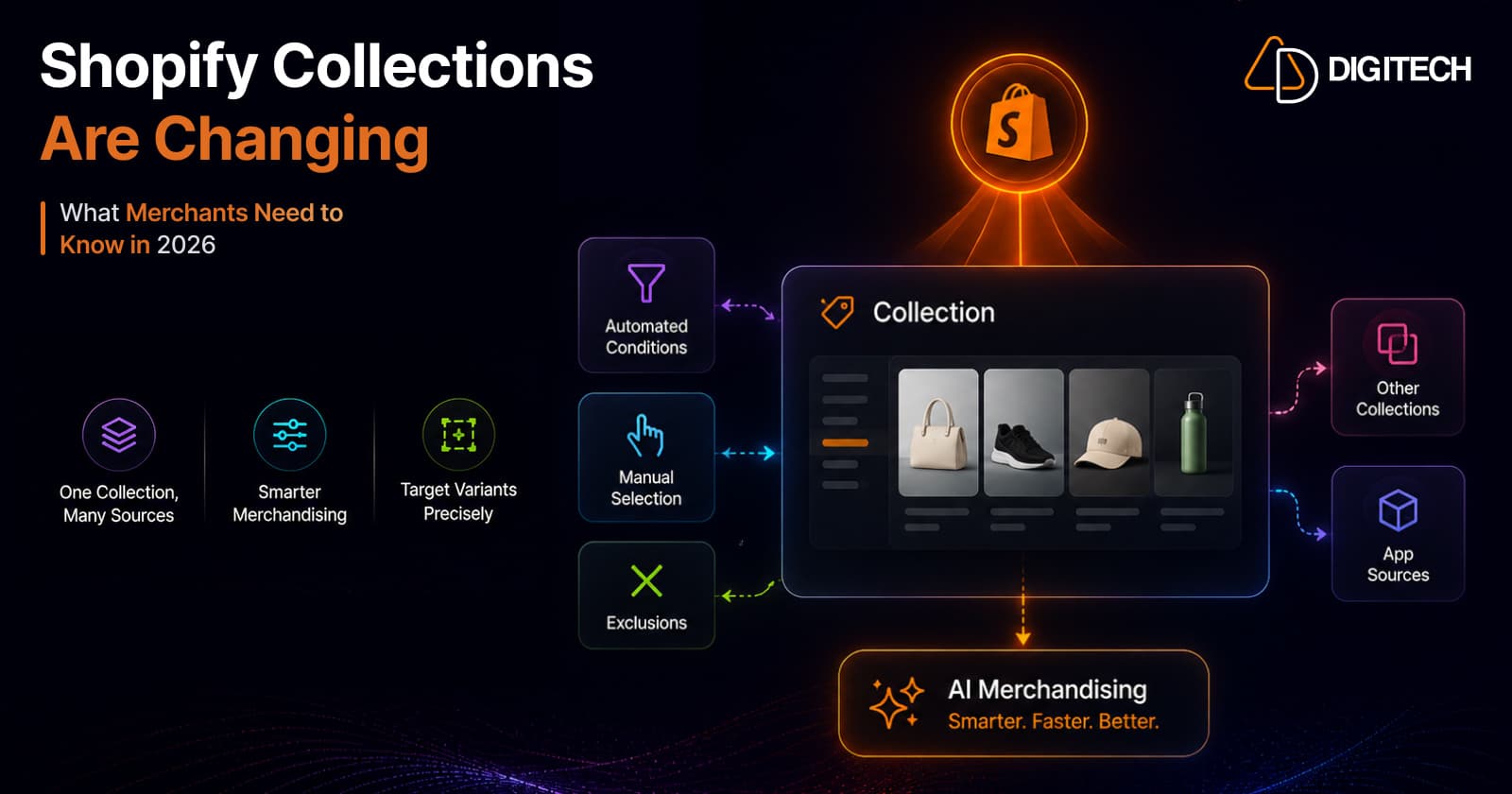
The short version: Shopify is overhauling how collections work in 2026. The rigid "smart vs custom" split is being replaced by a flexible Collection Sources model — one collection can now combine automated rules, manual picks, exclusions, other collections, and app sources. Add variant-level targeting and native AI merchandising, and collections just became far more powerful. Your existing collections keep working, but what's possible has changed.
We build and merchandise Shopify stores, so here's the practical breakdown of what changed and what to do about it.
The old way: smart vs. custom (and why it was limiting)
For years, a Shopify collection was one of two rigid types:
- Smart (automated) — products added by conditions (tag, type, price, etc.).
- Custom (manual) — products added by hand, one at a time.
And you had to pick one. Want an automated collection but hand-remove three products that shouldn't be in it? You couldn't — you either fought the conditions or rebuilt it manually. Want a mostly-manual collection that also auto-includes anything tagged "new"? Not without workarounds. That either/or model quietly forced a lot of clunky merchandising.
The new model: Collection Sources (2026-07)
That split is gone. In the new model, collections are no longer limited to smart or custom. Instead, a "source" is anything that adds products or variants to a collection, and a collection can combine multiple sources:
- Automated conditions (the old "smart" behavior)
- Manual selections (the old "custom" behavior)
- Exclusions — explicitly remove specific products or collections
- References to other collections — build on top of existing collections
- Shareable app-owned sources — sources authored by apps
The unlock is the combination. You can now build a collection from conditions, refine it by hand, exclude specific products, reference other collections, and layer in app sources — all in one collection, without maintaining separate lists. The either/or era is over.
Variant-level targeting
The second big change: collections can now target specific variants, not just whole products.
Previously a collection included a product or it didn't. Now you can include the summer colorway of a jacket in a "Summer" collection without dragging in every other variant. For stores with rich variant catalogs — apparel, configurable products, multi-format goods — this is a real precision upgrade for curated merchandising.
Native AI merchandising
Shopify also brought AI merchandising natively into collections (Summer '26):
- AI Collection Sort — orders products on a collection page by their predicted probability of converting, so your best performers surface automatically instead of being hand-sorted.
- Predictive cross-sell blocks — surface complementary items based on cart contents.
- A merchandising insights panel in the admin — visibility into how collections are performing.
This is CRO built into the collection itself. Instead of manually reordering products or paying for a sort app, the platform can now optimize collection order toward conversion — and you should A/B test it to confirm the lift for your store. (Native testing makes that easy — see Shopify native A/B testing vs. apps.)
What this means for merchants
- Nothing breaks. Your existing smart and custom collections keep working; migration is incremental.
- But rebuild your clunky ones. Any collection you held together with tag hacks, duplicate lists, or manual clean-up is a candidate to rebuild cleanly with combined sources + exclusions.
- Merchandise more precisely. Variant targeting lets you curate at the variant level — big for apparel and configurable catalogs.
- Let AI do the sorting. Turn on AI Collection Sort, test it, and stop hand-ranking products.
- Clean product data matters more than ever. AI sort and predictive cross-sell are only as good as your product data and attributes — the same clean, structured data that wins AI discovery.
What it means for developers and apps
If you run custom apps or integrations, this is a version update to plan for. The new model is in the GraphQL Admin API 2026-07. If your app reads, writes, renders, syncs, or checks collection membership, update to 2026-07 so it stays aligned with the collections merchants build going forward. Existing collections keep working, so you can migrate incrementally — but don't leave it: collections created with the new combined-source model won't be fully represented by older API versions. (For the broader "when to build an app vs. a Function" decision, see Shopify Functions vs Apps.)
How to take advantage
- Audit your collections — flag the ones built with workarounds (manual clean-up of smart collections, duplicate lists, tag hacks).
- Rebuild them with combined sources — conditions + manual + exclusions in one place.
- Use variant targeting where curation matters (colorways, formats, editions).
- Enable AI Collection Sort and A/B test it against your current sort order.
- Update custom apps to GraphQL Admin API 2026-07.
The bottom line
Collections were one of the more rigid parts of Shopify merchandising — and in 2026 they became one of the most flexible. The Collection Sources model, variant targeting, and native AI sorting together turn collections from static lists into a real merchandising engine. Nothing forces you to move today, but the stores that adopt the new model will merchandise more precisely and convert better.
We help Shopify brands modernize their merchandising — rebuilding collections on the new model, wiring up variant-level curation and AI sort, and updating custom apps to the latest API. See our Shopify store development and Shopify app development work, or talk to us about your collections and merchandising.
Frequently asked questions
What's changing with Shopify Collections in 2026?
Shopify is replacing the rigid 'smart vs custom' collection split with a flexible Collection Sources model (GraphQL Admin API 2026-07). One collection can now combine automated conditions, manual selections, exclusions, references to other collections, and shareable app-owned sources. Alongside it, Shopify added native AI merchandising — AI Collection Sort, predictive cross-sell blocks, and a merchandising insights panel. Your existing collections keep working.
Do I need to migrate my existing collections?
No. Existing custom and smart collections continue to work, and migration is incremental — nothing breaks. But the new model unlocks combinations that weren't possible before (mixing conditions, manual picks, exclusions, and variants in a single collection), so it's worth rebuilding any collection you previously held together with awkward workarounds.
What are Collection Sources?
A 'source' is anything that adds products or variants to a collection: automated conditions, manual selections, exclusions, other collections, or shareable app-owned sources. The key change is that a collection can combine multiple sources — so you can build from rules, refine by hand, exclude specific products or collections, and layer in app sources, all in one collection without maintaining separate lists.
Can Shopify collections target specific variants now?
Yes. The new model supports variant-level targeting — a collection can include specific variants (for example, only the summer colorway of a product), not just whole products. That's a significant merchandising-precision upgrade for stores that want tightly curated, variant-specific collections.
What is Shopify AI Collection Sort?
It's part of Shopify's native AI merchandising (Summer '26). AI Collection Sort orders the products on a collection page by their predicted probability of converting, so your best-performing items surface automatically instead of being sorted by hand. Shopify also added predictive cross-sell blocks that suggest complementary items based on cart contents, and a merchandising insights panel in the admin.
What do developers and app builders need to do?
The new collections model lives in the GraphQL Admin API 2026-07. If your app or custom integration reads, writes, renders, syncs, or checks collection membership, update to 2026-07 so it stays aligned with the collections merchants create going forward. Existing collections keep working, so you can migrate incrementally — but plan the update.
Building something on Shopify?
We design, build, and maintain Shopify apps, stores, and AI products — to the standard this article describes.
Related reading

Shopify Adds Stock Counts in Admin: How Merchants Can Verify Inventory Before Peak Season
Shopify stock counts let staff record what's on the shelf and let a manager approve the differences before inventory changes. Here's how the workflow works in admin and POS.
Read article
Shopify Adds Arabic, Urdu, and Hebrew Support: What Merchants Must Check Before Launch
Shopify improved RTL support for Arabic, Urdu and Hebrew in the admin, storefronts and checkout. Here's what's covered, what isn't, and what to test before launch.
Read article
Shopify Translate & Adapt Auto-Sync: How to Keep Translations Current Before BFCM
Translate & Adapt can now update translations weekly with Auto-sync. Here's who can use it, how it differs from Translate now, and how to plan translations before BFCM.
Read article
Shopify Flow Shipping Label Automation: Setup, Rules, and What Merchants Should Test Before BFCM
Shopify Flow can now buy shipping labels automatically for orders that match your rules. Here's how the action works, example workflows, and what to test before BFCM.
Read article
Shopify Automated Policies: 7 Things Merchants Should Check Before Enabling Them
Shopify can now generate and update your return, shipping, terms of service and contact policies from your store settings. Here's what to check before you turn automation on.
Read article
Shopify Purchase Order Analytics: How to Spot Stock Risks Before BFCM
Shopify Analytics now includes purchase order reports. Here's what each report shows, how to use them to spot stock risks before BFCM, and what they can't tell you.
Read article
Shopify Rollouts: How Merchants Can Safely Test Store Changes Before BFCM
Learn how Shopify Rollouts let merchants schedule, test, and launch store changes safely before BFCM, including themes, discounts, catalogs, and checkout.
Read article
Shopify Shop Checkout Gets Faster: What Merchants Need to Know
Shopify's October 5, 2026 Shop update brings faster checkout and carts that sync across devices. See how it works, who qualifies and what to check before BFCM.
Read article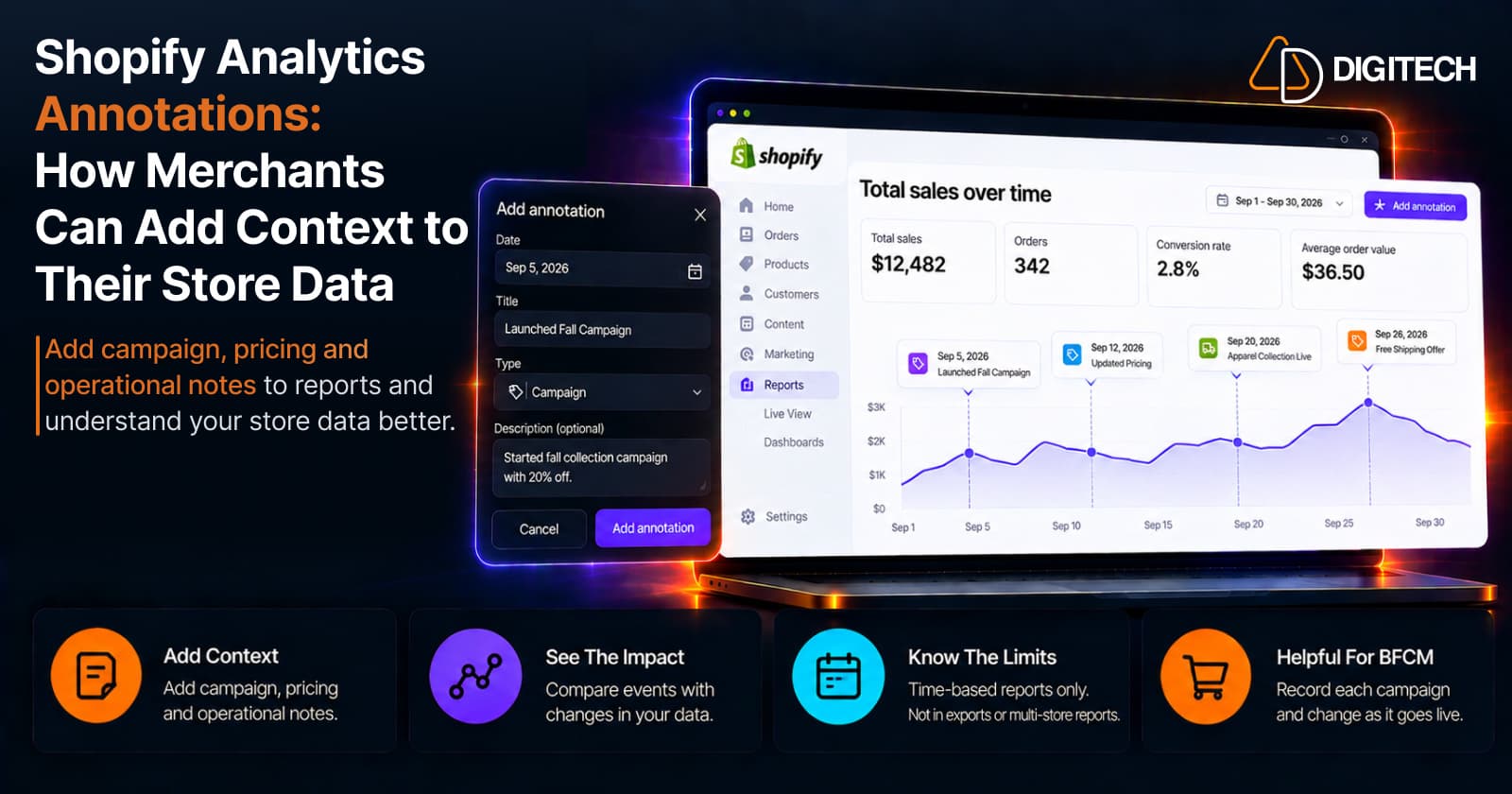
Shopify Analytics Annotations: How Merchants Can Add Context to Their Store Data
Shopify Analytics annotations let merchants add campaign, pricing and operational notes to reports. See how they work, the limits, and how to use them for BFCM.
Read article