Shopify International Expansion: 10 Things to Check Before Selling in a New Country
A practical pre-launch checklist for Shopify merchants entering a new country: market viability, products, pricing, domains, localization, duties, shipping, SEO, checkout, and testing — before you flip the switch.
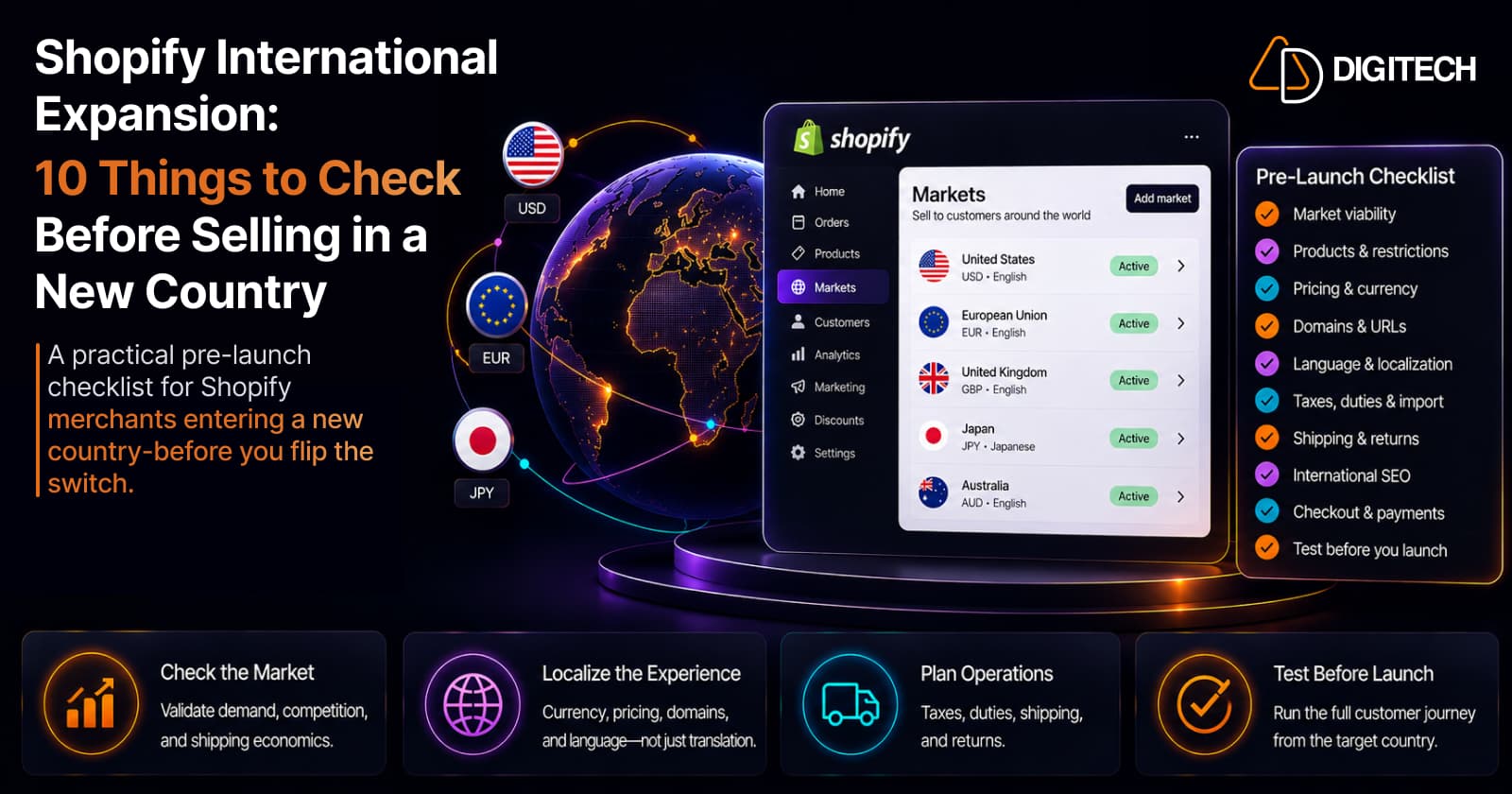
The short version: launching your Shopify store in a new country isn't "enable the country, translate the store, start selling." A new market brings its own currency, pricing, taxes, duties, shipping economics, language, SEO, and customer expectations — and any one of them can quietly sink the launch. This is a practical pre-launch checklist to work through before you go live, not after.
We build and localize Shopify stores for international expansion, so this is the checklist we actually run. For a deeper explanation of what Shopify Markets controls — currencies, domains, catalogs, localization — see selling internationally with Shopify Markets. This article is the operational layer on top: what to verify before you launch a country.
1. Confirm the market is worth entering
Before touching Shopify settings, validate the opportunity. Look at existing traffic and demand from the country, product-market fit, realistic average order value, and — critically — the shipping economics and expected margins after cross-border costs. A market that looks attractive on demand can be unviable once return costs and regulatory complexity are priced in. Don't configure a market you haven't sized.
2. Check your products can actually be sold there
International availability isn't just a Shopify toggle. Confirm your products are eligible and legal to sell and ship into that country, check for restricted categories, and validate supplier and inventory constraints. Shopify Markets can control which products are available per market through catalogs (part of your broader product data setup), but that only decides what's shown — you still have to confirm the products make business and regulatory sense there. This isn't legal advice; verify restrictions for your categories.
3. Review pricing and currency
Selling in local currency is table stakes; pricing well is the harder part. Automatic conversion is a starting point, not an answer — a product at $100 at home shouldn't necessarily become its exact converted equivalent abroad once you factor in duties, taxes, shipping, local competition, and margin. Decide deliberately between automatic conversion and per-market prices, set clean rounded price points, and confirm whether the market expects tax-inclusive or tax-exclusive display.
4. Decide how customers will see your store
Shopify gives you three URL structures, and the choice affects SEO and operations:
- Subfolder —
yourstore.com/fr-ca/(Markets creates these automatically; simplest, concentrates authority) - Subdomain —
ca.yourstore.com - Country-code domain —
yourstore.ca(strongest local signal, most overhead)
Shopify recommends subfolders as a simple default for many stores, but the right answer depends on your SEO strategy, brand structure, and how much operational complexity you can carry. There's no universally best option — decide before launch, because changing it later means redirects.
5. Review language and localization
Translation and localization are not the same thing. Translation changes the words; localization adapts the experience — currency, pricing, product terminology, promotions, imagery, legal and shipping information, and the expectations customers bring. A perfectly translated store can still feel foreign if the pricing, sizing conventions, or trust signals are wrong for the market. And don't ship raw machine translation: have a native speaker review anything customer-facing.
6. Check taxes, duties, and import requirements
This is where cross-border gets real. Shopify can collect duties and import taxes at checkout when your store is set up for it — enabled under Settings → Taxes and duties — so customers see and pay estimated duties upfront instead of being surprised by a carrier bill on delivery. Accuracy depends on your product data: add a country of origin and HS codes to your products, or the estimate (and the customer's actual bill) can be wrong.
One current change to know: as of August 24, 2026, Shopify Managed Markets ended Delivered Duty Unpaid (DDU) support in regions where Delivered Duty Paid (DDP) is available, so affected customers now pay duties and taxes at checkout rather than on delivery.
A necessary caveat: duty figures shown at checkout are estimates, and actual customs charges can differ. Tax and import rules vary by country and product. None of this is legal or tax advice — consult a local customs or tax professional for your specific situation.
7. Validate shipping and returns
Shipping can make or break an international launch, and returns are the part merchants forget. Check your shipping zones and rates, realistic delivery times, carrier availability and tracking, and — just as importantly — return shipping and its cost. Run the math per order: a product with a healthy domestic margin can turn unprofitable abroad once international shipping, duties, and a realistic return rate are subtracted. Model the loss-making case before you promise free shipping.
8. Review international SEO before launch
For correctly configured Markets subfolders, Shopify handles a lot of the technical SEO automatically — hreflang annotations, self-referencing canonical tags, international sitemap generation, and crawler access. That's genuinely useful, but it's the plumbing, not the strategy. Before launch, still verify the correct language and market/domain configuration, that content is actually localized (not just translated), that important pages are indexable, and that you can track the new market in Search Console. Automation doesn't excuse skipping the review.
9. Test the customer journey from that country
Don't judge the launch from your homepage. Walk the whole path a local customer takes — homepage, collection, product page, cart, and all the way through checkout — checking that currency, taxes, duties, shipping options, payment, order confirmation, transactional emails, and returns information are all correct and coherent. Where you can, test from the target market's environment (or a VPN/proxy), because market detection and pricing depend on location. A journey that's right on the product page but broken at checkout still loses the sale.
10. Check payment and checkout expectations
Payment preferences differ sharply between markets — the methods customers trust at home may be secondary abroad. Confirm which payment methods are available and expected in the market, that currency and taxes display correctly, and that checkout messaging around duties, shipping, and delivery times matches local expectations. Verify what your Shopify setup actually supports for the country rather than assuming; a missing familiar payment method is a silent conversion killer.
Before you flip the switch: set up analytics
Configure analytics before launch, not after, so from day one you can answer: how much traffic is the new market sending, which products get viewed, where customers drop off, what the conversion rate and average order value are, and — the number that matters most — revenue after shipping, taxes, and duties. Launching blind means you can't tell a pricing problem from a shipping problem. Then actually watch it in the first weeks: checkout completion, cross-border return rate, and margin after all costs are the early signals that tell you whether the market is working or quietly losing money.
Your new-market launch checklist
- Market opportunity validated (demand, margins, return costs)
- Products confirmed sellable and shippable to the country
- Pricing and currency reviewed (not just auto-converted)
- Domain / URL structure chosen
- Language and localization reviewed by a native speaker
- Taxes configured; duty display decided
- Country of origin and HS codes added to products
- Shipping and returns tested and costed
- Payment methods and checkout verified for the market
- International SEO configuration checked (hreflang, canonicals, sitemap)
- Customer journey tested end to end from the target market
- Analytics ready before launch
When Shopify Markets is enough, and when custom development helps
For most merchants, native Shopify Markets covers a new-country launch: local currencies, per-market pricing, basic localization, market-specific product availability, and the standard international SEO structure. Start there.
Custom development becomes relevant when the business genuinely exceeds native capability — complex market-specific business logic, ERP or PIM integrations, custom product-availability or pricing rules, advanced localization, market-specific storefront behavior, complex shipping integrations, or bespoke checkout requirements (which is often also where Shopify Plus capabilities come into play). The principle holds: use native Shopify first, and add custom development only when a real requirement goes beyond it.
The bottom line
International expansion isn't enabling another country — it's building a customer experience that works commercially, operationally, technically, and locally. Run the sequence: validate, configure, localize, test, launch, monitor. Work this checklist before you go live, and you launch a market you've actually prepared for, not one you're debugging in production.
Planning to expand your Shopify store into new markets? AD Digitech can help evaluate your current architecture, configure the international experience, and build the custom integrations or market-specific functionality your expansion needs. See our Shopify store development work, or talk to us about your expansion.
Frequently asked questions
Do I need Shopify Plus to sell in another country?
No. Shopify Markets supports multiple currencies, per-market pricing, localized domains and subfolders, languages, and product availability on standard plans. Plus adds expansion stores and organization-level tooling for more complex multi-store operations. Evaluate whether your expansion actually needs those before assuming Plus is required.
Can Shopify collect duties and import taxes at checkout?
Yes, when your store is set up for it. In Settings → Taxes and duties you turn on duty and import-tax collection, then add a country of origin and HS codes to your products so the estimates are accurate. The amounts shown at checkout are estimates — actual customs charges can differ — so consult a customs or tax professional for your specific products and destination countries.
What changed with Shopify Managed Markets duties in 2026?
As of August 24, 2026, Managed Markets stopped supporting Delivered Duty Unpaid (DDU) in regions where Delivered Duty Paid (DDP) is available. In practice, affected customers now pay duties and taxes at checkout rather than being billed by the carrier on delivery, which reduces surprise costs. Merchants who wanted to keep pay-on-delivery had to turn Managed Markets off before that date.
Which international domain structure is best on Shopify?
There's no universal best. Shopify recommends subfolders (yourstore.com/fr-ca/) as a simple option that concentrates domain authority, and Markets creates them automatically. Subdomains and country-code domains give a stronger local signal but add overhead. Choose based on your SEO strategy, brand structure, and operational capacity — not on what a competitor did.
Does Shopify handle international SEO automatically?
Partly. For correctly configured Markets subfolders, Shopify automatically outputs hreflang and self-referencing canonical tags, generates international sitemaps, and manages crawler access. You still need to verify the right language and market configuration, genuinely localized content, indexability, and performance in Search Console. The automation handles the plumbing, not the strategy.
Building something on Shopify?
We design, build, and maintain Shopify apps, stores, and AI products — to the standard this article describes.
Related reading
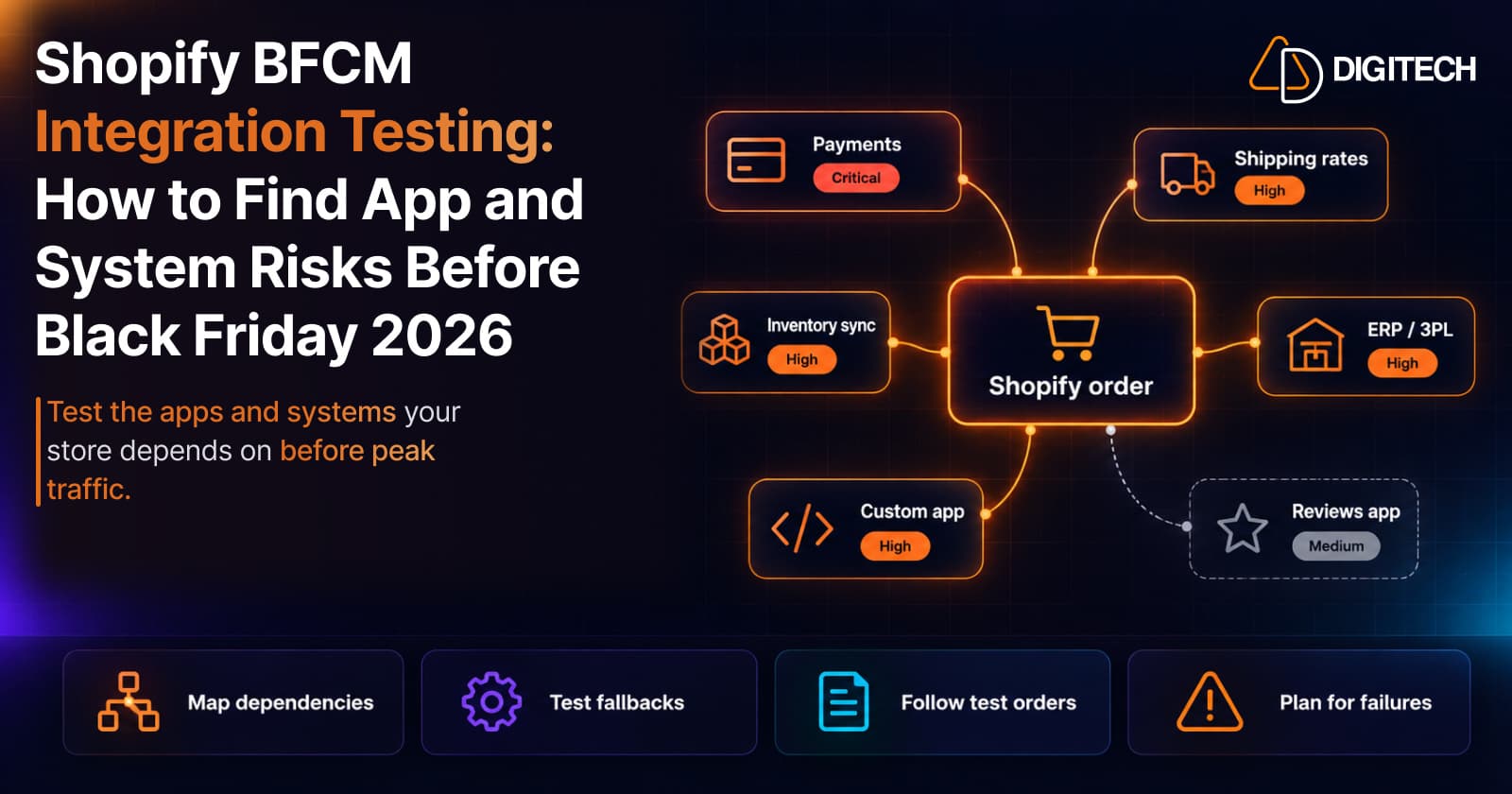
Shopify BFCM Integration Testing: How to Find App and System Risks Before Black Friday 2026
Prepare your Shopify store for BFCM 2026. Test checkout, shipping apps, payments, inventory sync, and custom integrations before Black Friday.
Read article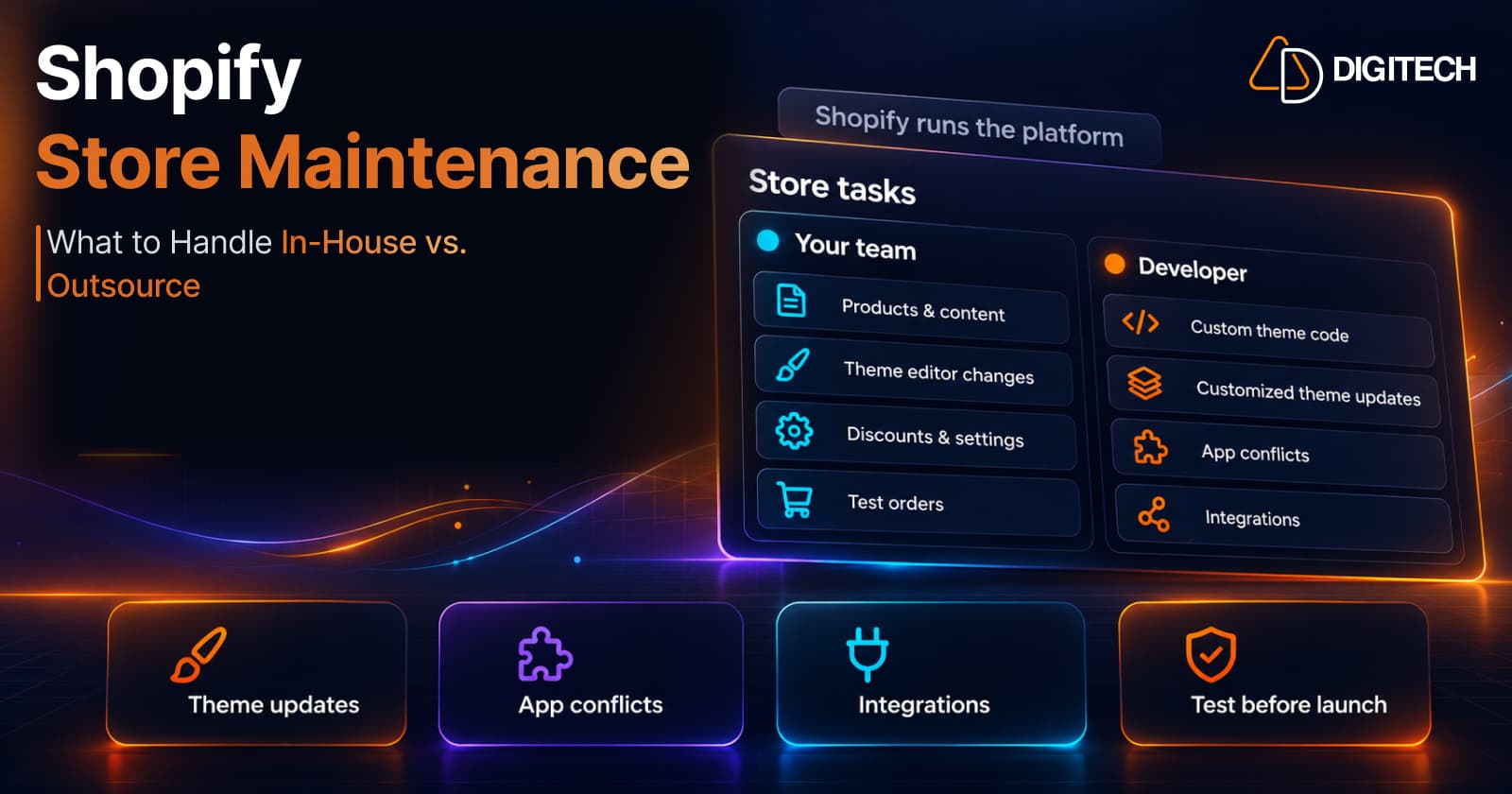
Shopify Store Maintenance: What to Handle In-House vs. Outsource
Shopify runs the platform; your theme, apps and integrations are yours to maintain. What to handle in-house, when to hire a developer and what support covers.
Read article
Shopify Adds Stock Counts in Admin: How Merchants Can Verify Inventory Before Peak Season
Shopify stock counts let staff record what's on the shelf and let a manager approve the differences before inventory changes. Here's how the workflow works in admin and POS.
Read article
Shopify Adds Arabic, Urdu, and Hebrew Support: What Merchants Must Check Before Launch
Shopify improved RTL support for Arabic, Urdu and Hebrew in the admin, storefronts and checkout. Here's what's covered, what isn't, and what to test before launch.
Read article
Shopify Translate & Adapt Auto-Sync: How to Keep Translations Current Before BFCM
Translate & Adapt can now update translations weekly with Auto-sync. Here's who can use it, how it differs from Translate now, and how to plan translations before BFCM.
Read article
Shopify Flow Shipping Label Automation: Setup, Rules, and What Merchants Should Test Before BFCM
Shopify Flow can now buy shipping labels automatically for orders that match your rules. Here's how the action works, example workflows, and what to test before BFCM.
Read article
Shopify Automated Policies: 7 Things Merchants Should Check Before Enabling Them
Shopify can now generate and update your return, shipping, terms of service and contact policies from your store settings. Here's what to check before you turn automation on.
Read article
Shopify Purchase Order Analytics: How to Spot Stock Risks Before BFCM
Shopify Analytics now includes purchase order reports. Here's what each report shows, how to use them to spot stock risks before BFCM, and what they can't tell you.
Read article
Shopify Rollouts: How Merchants Can Safely Test Store Changes Before BFCM
Learn how Shopify Rollouts let merchants schedule, test, and launch store changes safely before BFCM, including themes, discounts, catalogs, and checkout.
Read article