Shopify Product Variants Now Support Multiple Barcodes: What Merchants Need to Know
Shopify product variants now support up to 20 barcodes each. What changed, how it works, who benefits, and what to review in your product, inventory, POS, and integrations.
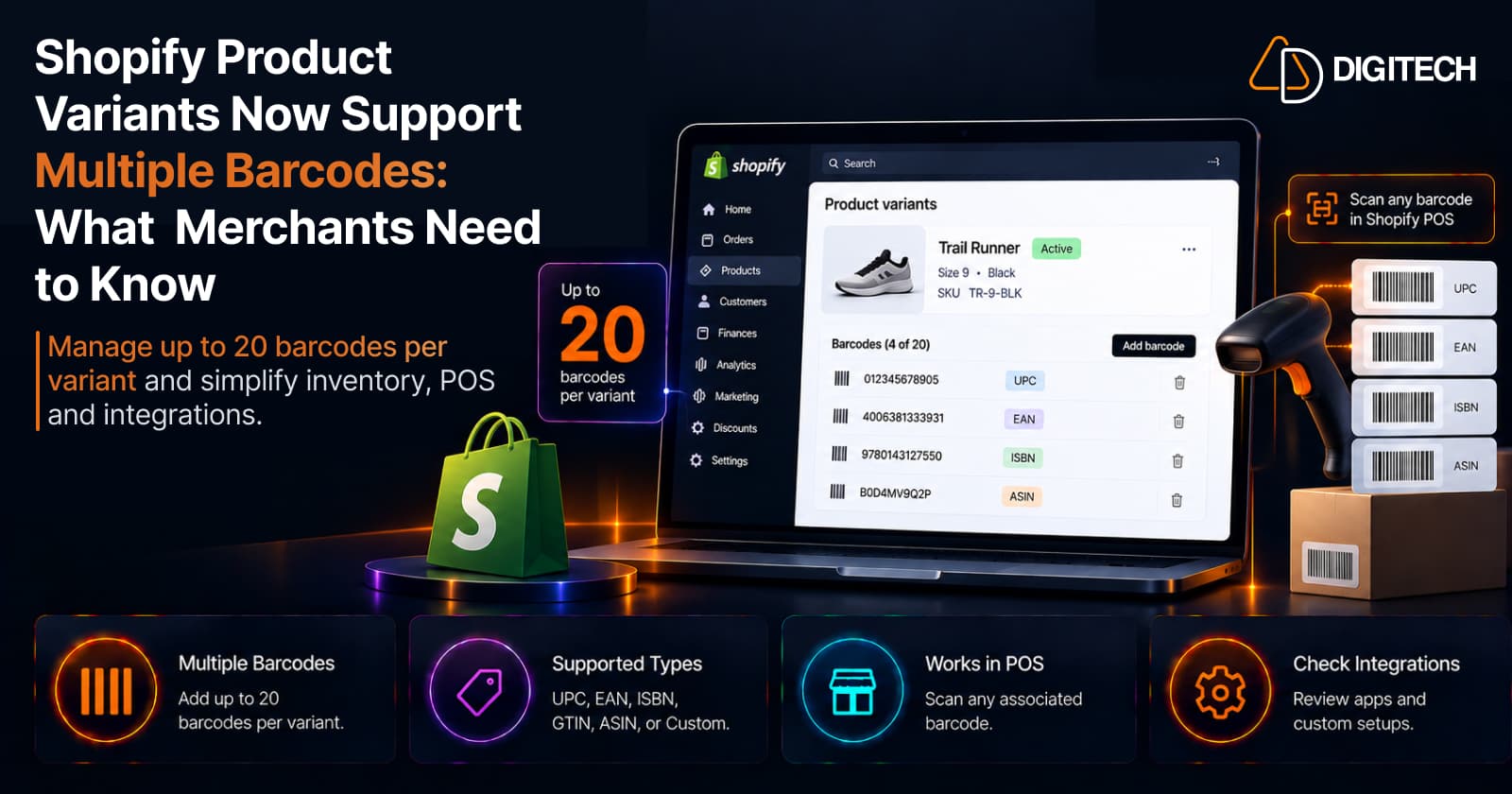
You sell one product. The manufacturer prints a UPC on it. On a marketplace it carries an ASIN. Your warehouse labels it with an internal code. The case it ships in has a GTIN that's different again. Same item — four different scannable identifiers — and until recently a Shopify variant could hold only one of them, which meant the rest lived in a spreadsheet or a metafield on the side.
As of September 8, 2026, that limit is gone. Shopify product variants now support up to 20 barcodes each, so all of those identifiers can live on the same variant. This is an operational change, not a marketing one: it won't lift conversion, but it can simplify how you identify products across suppliers, marketplaces, POS, and inventory. Here's what changed, who it helps, and what to review first.
What Changed in Shopify?
- Before: one barcode per product variant.
- Now: up to 20 barcodes per variant.
- Each barcode can optionally carry a type — UPC, EAN, ISBN, GTIN, or ASIN — or Custom for internal codes that don't follow a standard.
- When you pick a standard type, Shopify validates the value against that standard's character, length, prefix and check-digit rules (Shopify's developer changelog), so a value tagged "UPC" has to be a valid UPC. A single mistyped digit can fail the check digit and get the value rejected.
- Nothing to migrate. In Shopify's words, "Your existing barcodes are already in place, so there's nothing to migrate."
- The first barcode stays primary. This is the key compatibility detail: "The first barcode on a variant is still the one used wherever a single barcode is expected" — labels, sales-channel feeds, and apps keep working exactly as they do today.
How Multiple Barcodes Work in Shopify
The structure is simple:
One product variant → multiple barcode identifiers → each with an optional type → all pointing to the same variant.
For example, a product "Premium Coffee Beans — 1kg" with a "1kg" variant could carry a manufacturer UPC, an EAN, a GTIN, a marketplace identifier, and an internal custom code — all on that single variant, all identifying the same thing.
One clarification: an ASIN is not a barcode standard the way UPC, EAN, and GTIN are — it's a marketplace's own product identifier. Shopify supports it as a selectable identifier type (useful for marketplace sellers), but it's an identifier, not a barcode symbology.
What Barcode Types Can Merchants Use?
| Type | Typical use | Shopify support |
|---|---|---|
| UPC | 12-digit retail barcode, common in North America | Supported; value validated |
| EAN | International retail barcode (8 or 13 digit) | Supported; value validated |
| ISBN | Books and publications | Supported; value validated |
| GTIN | Global Trade Item Number (umbrella standard) | Supported; value validated |
| ASIN | A marketplace product identifier (10 characters) | Supported as an identifier type |
| Custom | Internal or non-standard codes | Supported; the default, no format check |
For the standard types, "validated" means more than length: Shopify checks the value's characters, length, prefix and check digit. If you don't declare a type, Shopify stores the value exactly as you entered it.
Choosing a type is optional — you can leave a barcode as Custom if it doesn't map to a standard.
Why Shopify Merchants May Need Multiple Barcodes
The single-barcode limit forced a choice that many businesses shouldn't have had to make. Multiple barcodes help when:
- Multiple suppliers — the same product arrives with different supplier or manufacturer identifiers.
- Marketplace selling — a product carries a marketplace-specific identifier alongside its retail barcode.
- Retail + ecommerce — the physical product needs to work across in-store POS and online workflows.
- Private-label products — you have the manufacturer's code and your own internal identifier.
- Repackaged or relabeled products — different packaging runs carry different scannable codes.
- International operations — different regions or channels may reference different identifiers.
In each case, the additional identifiers no longer have to live in a spreadsheet or a metafield. If that side-of-desk data is a recurring headache, it's part of the broader shift covered in Shopify product data management.
Multiple Barcodes and Shopify POS
A companion update on September 1, 2026 brought this to the counter. Per Shopify, "Shopify POS can now identify a product variant using any barcode associated with it." Staff can scan or search using any associated barcode — GTIN, EAN, ASIN, or SKU-based codes — not just the primary one.
Two practical requirements: the update is automatically available in Shopify POS v11.14, and the additional barcodes must first be added in Shopify Admin. In practice, that means receiving stock by scanning whatever code is on the incoming packaging, and finding or checking out a product whichever label a unit carries. It fits alongside the other 2026 Shopify POS updates retail merchants are working through.
Managing Multiple Barcodes in Shopify Admin
Shopify supports four ways to manage barcodes; the right one depends on scale:
- Variant details page — add, scan (with your phone's camera), and remove barcodes on a single variant. Best for a small catalog or one-off edits.
- Shopify mobile app — manage barcodes on the go, including scanning.
- Bulk editor — update barcodes across many variants at once.
- Product CSV — import and export the full set using the Variant Barcodes column. Best for a large catalog or a migration.
What Happens to Existing Barcodes?
This is the question most merchants ask first, and the answer is reassuring:
- Existing barcodes stay in place — "there's nothing to migrate."
- The barcode you already had becomes the first (primary) barcode on the variant.
- Existing workflows keep working. Anything that expects a single barcode continues to read that first value.
In other words, it's additive: you gain the ability to add identifiers without changing anything to keep current workflows running.
Multiple Barcodes and Sales Channels / Integrations
Here's the compatibility nuance that matters most. Admin can now store up to 20 identifiers on a variant, but "channels continue to read the first barcode provided." A system that expects one barcode still reads one — the first.
So before you reorder or change which barcode is first, check what actually consumes it:
- Marketplace feeds
- ERP integrations
- Inventory systems
- POS integrations
- Supplier systems
- Fulfillment integrations
- Custom apps
Don't assume every integration automatically reads all 20 barcodes — most that were built for a single-barcode world still read one value.
An Important Consideration for Custom Apps and Integrations
If your store relies on a custom app or integration that reads product barcodes, this is worth a developer's attention. Shopify's developer changelog notes that the ProductVariant.barcode field is now deprecated in favor of a new barcodes connection (available in API version 2026-10) — but "nothing breaks today and barcode keeps working," and no removal date has been announced yet.
The merchant implication is the practical part: an integration that reads only the single barcode field "sees one of them with no signal that others exist." Shopify's own guidance is that if your app syncs product identifiers to an ERP, a marketplace, a POS, or a supplier feed, those reads should move to the barcodes connection. It's the right time to review — well before Shopify sets a removal date.
Who Benefits Most From Multiple Barcodes?
This is most valuable for:
- Retail + ecommerce businesses running one catalog across both
- Multi-channel and marketplace sellers
- Businesses buying the same product from multiple suppliers
- Private-label brands juggling manufacturer and internal codes
- Large product catalogs and complex inventory operations
- Businesses migrating product data from another platform
- Shopify Plus merchants with ERP and custom integrations
Smaller stores benefit too — a single supplier code plus an internal code is already a valid use — but the payoff grows with operational complexity.
What Merchants Should Do Now
A practical starting checklist:
- Identify products that already have more than one identifier.
- Review the spreadsheets or metafields you use to store extra barcodes today.
- Decide which barcode should remain first/primary.
- Add the additional barcodes where they're genuinely useful.
- Review your POS workflows and confirm you're on POS v11.14.
- Review marketplace and ERP integrations.
- Review any custom Shopify apps that read barcodes.
- Test CSV import/export if you manage many products.
- Test scanning with actual physical products before rolling out.
- Document the barcode structure so your operations team is aligned.
Common Mistakes to Avoid
- Treating every identifier as the same type — a UPC, an ASIN, and an internal code are not interchangeable.
- Adding duplicate identifiers — Shopify blocks the same value twice on one variant, but avoid conceptual duplicates across systems.
- Changing the first barcode without checking downstream integrations — that's the value your channels and labels read.
- Assuming every app supports multiple barcodes — many still read one.
- Keeping duplicate barcode data in multiple systems with no reason to.
- Bulk-updating thousands of variants without testing a small batch first.
- Ignoring POS workflows when you roll out changes.
- Assuming barcodes replace SKUs — they don't.
Multiple Barcodes vs SKU: What's the Difference?
These are often confused, but they do different jobs:
| SKU | Barcode | |
|---|---|---|
| What it is | Your internal inventory identifier | A scannable product identifier |
| Who controls it | You (the merchant) | A standard (UPC/EAN/…) or you, for custom |
| Primary use | Inventory and product management | POS scanning and product identification |
| Format | Whatever system you choose | Standardized or custom, and validated by type |
A SKU organizes your catalog the way you think about it; barcodes identify the physical product the way the outside world scans it. Most operations need both — and now Shopify lets the barcode side hold the several identifiers a single product often has.
Final Takeaway
Shopify's multiple-barcode support makes product identification more flexible by allowing up to 20 barcode values on a single variant. The value is operational: cleaner product identification, easier POS scanning, better handling of supplier and marketplace identifiers, and less need to maintain extra codes in spreadsheets outside Shopify.
The one thing to keep front of mind is compatibility — the first barcode is still what single-barcode systems read, so review your marketplace feeds, ERP, POS, and custom apps before relying on the extras. If your Shopify store depends on complex product data, POS workflows, ERP integrations, or custom apps, AD Digitech can help review and update the architecture so your product data stays consistent across the systems your business runs on.
Frequently asked questions
Can Shopify variants have multiple barcodes?
Yes. As of September 8, 2026, a Shopify product variant can hold multiple barcodes instead of just one. You can add up to 20 barcodes to a single variant, and any of them can be used to identify that variant.
How many barcodes can a Shopify variant have?
Up to 20 barcodes per variant. The same barcode value can't be used twice on the same product or variant, and the first barcode remains the primary one used wherever a single barcode is expected.
What barcode types does Shopify support?
Each barcode can optionally be given a type: UPC, EAN, ISBN, GTIN, or ASIN — or Custom for internal codes that don't follow a standard. When you choose a standard type, Shopify validates the value against that standard's character, length, prefix and check-digit rules, so a code with one mistyped digit can be rejected. A value without a type is stored exactly as entered.
Can Shopify POS scan multiple barcodes for the same product?
Yes. Since a September 1, 2026 update (Shopify POS v11.14), POS can identify a product variant using any barcode associated with it — staff can scan or search using any associated barcode, not only the first. The additional barcodes must be added to the variant in Shopify Admin first.
Do existing Shopify barcodes need to be migrated?
No. Shopify states that existing barcodes are already in place, so there's nothing to migrate. The barcode you already had becomes the first/primary barcode on the variant, and existing labels, sales-channel feeds, and apps keep working as before.
What is the difference between a Shopify SKU and a barcode?
A SKU is your own internal inventory identifier that you control and use to manage products and stock. A barcode is a scannable product identifier — standardized (like UPC or EAN) or custom — used for POS and product identification. They do different jobs, and multiple barcodes don't replace your SKU.
Building something on Shopify?
We design, build, and maintain Shopify apps, stores, and AI products — to the standard this article describes.
Related reading
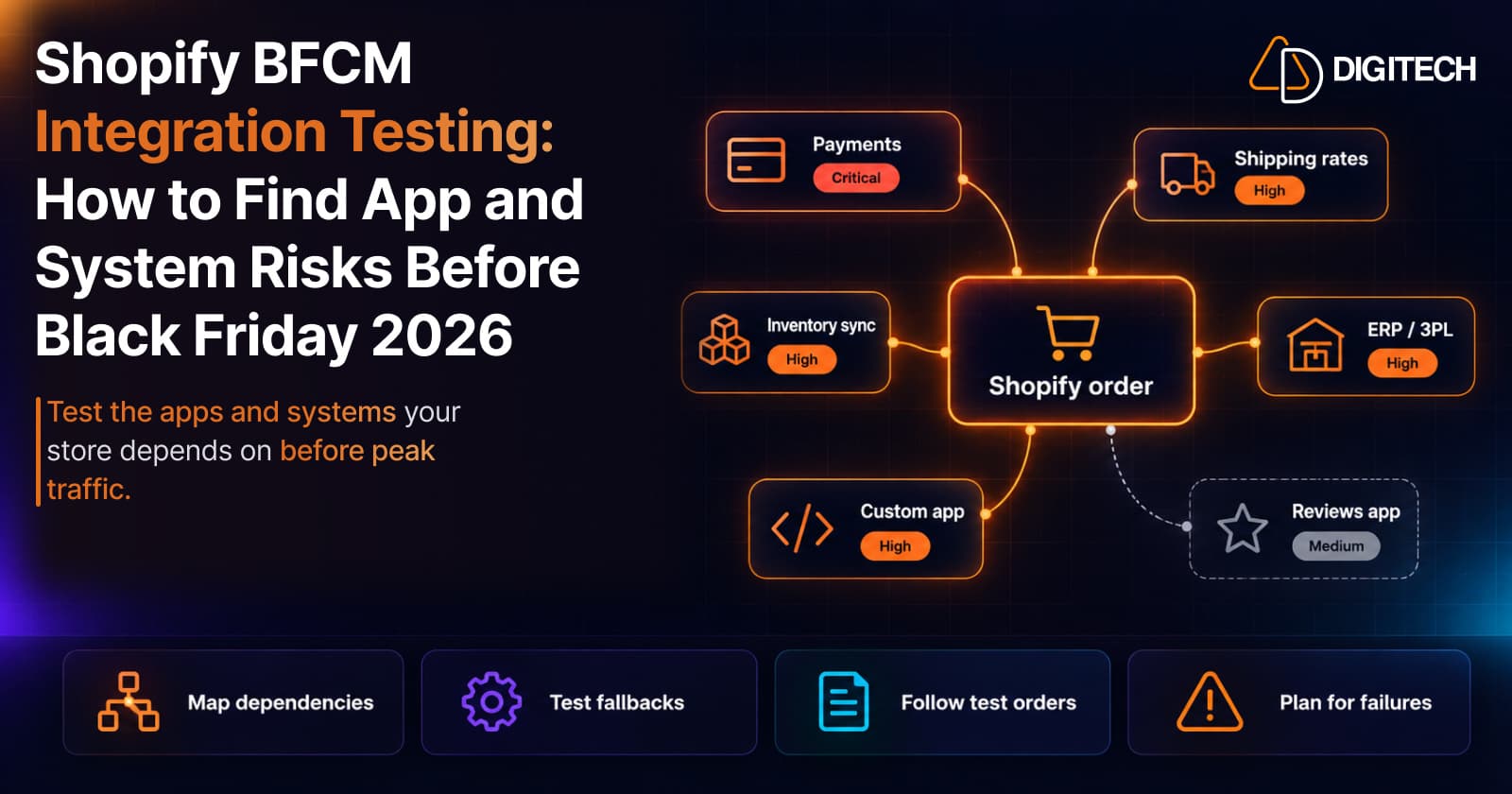
Shopify BFCM Integration Testing: How to Find App and System Risks Before Black Friday 2026
Prepare your Shopify store for BFCM 2026. Test checkout, shipping apps, payments, inventory sync, and custom integrations before Black Friday.
Read article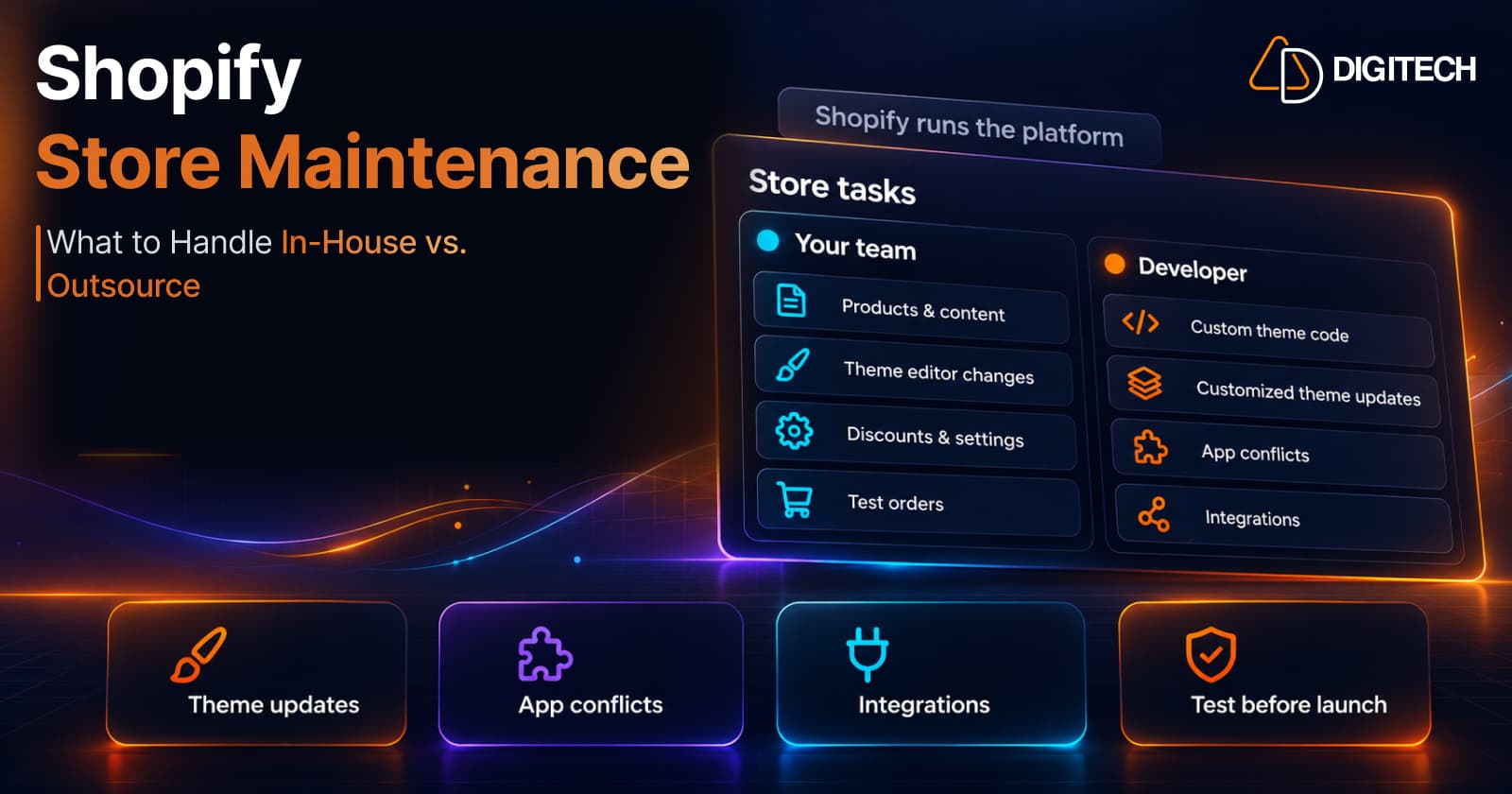
Shopify Store Maintenance: What to Handle In-House vs. Outsource
Shopify runs the platform; your theme, apps and integrations are yours to maintain. What to handle in-house, when to hire a developer and what support covers.
Read article
Shopify Adds Stock Counts in Admin: How Merchants Can Verify Inventory Before Peak Season
Shopify stock counts let staff record what's on the shelf and let a manager approve the differences before inventory changes. Here's how the workflow works in admin and POS.
Read article
Shopify Adds Arabic, Urdu, and Hebrew Support: What Merchants Must Check Before Launch
Shopify improved RTL support for Arabic, Urdu and Hebrew in the admin, storefronts and checkout. Here's what's covered, what isn't, and what to test before launch.
Read article
Shopify Translate & Adapt Auto-Sync: How to Keep Translations Current Before BFCM
Translate & Adapt can now update translations weekly with Auto-sync. Here's who can use it, how it differs from Translate now, and how to plan translations before BFCM.
Read article
Shopify Flow Shipping Label Automation: Setup, Rules, and What Merchants Should Test Before BFCM
Shopify Flow can now buy shipping labels automatically for orders that match your rules. Here's how the action works, example workflows, and what to test before BFCM.
Read article
Shopify Automated Policies: 7 Things Merchants Should Check Before Enabling Them
Shopify can now generate and update your return, shipping, terms of service and contact policies from your store settings. Here's what to check before you turn automation on.
Read article
Shopify Purchase Order Analytics: How to Spot Stock Risks Before BFCM
Shopify Analytics now includes purchase order reports. Here's what each report shows, how to use them to spot stock risks before BFCM, and what they can't tell you.
Read article
Shopify Rollouts: How Merchants Can Safely Test Store Changes Before BFCM
Learn how Shopify Rollouts let merchants schedule, test, and launch store changes safely before BFCM, including themes, discounts, catalogs, and checkout.
Read article